







Reality Mixer - Mixed Reality for VR headsets PC

Gdzie znaleźć najlepszą ofertę na Reality Mixer - Mixed Reality for VR headsets na PC (Steam)? Porównaj ceny z 1 sklepów i wybierz najlepszą opcję spośród 1 ofert dostępnych na XD.deals. Obecnie najniższa cena Reality Mixer - Mixed Reality for VR headsets na PC w keyshopach jest na 44,99 zł (0% taniej).

Premiera: 01 lut 2024
Steam:
Mostly Positive (81)
Keyshops
Brak dostępności
Kup w oficjalnym sklepie:
44,99 zł
Kup w keyshopach:
Zobacz historię cen

Sklepy oficjalne (1)

DRM:
Steam
Steam
Steam
Reality Mixer - Mixed Reality for VR headsets
Windows
+1
15tyg temu
DRM:
Steam
Steam
44,99 zł

O Reality Mixer - Mixed Reality for VR headsets

Reality Mixer - Mixed Reality for VR headsets - o grze

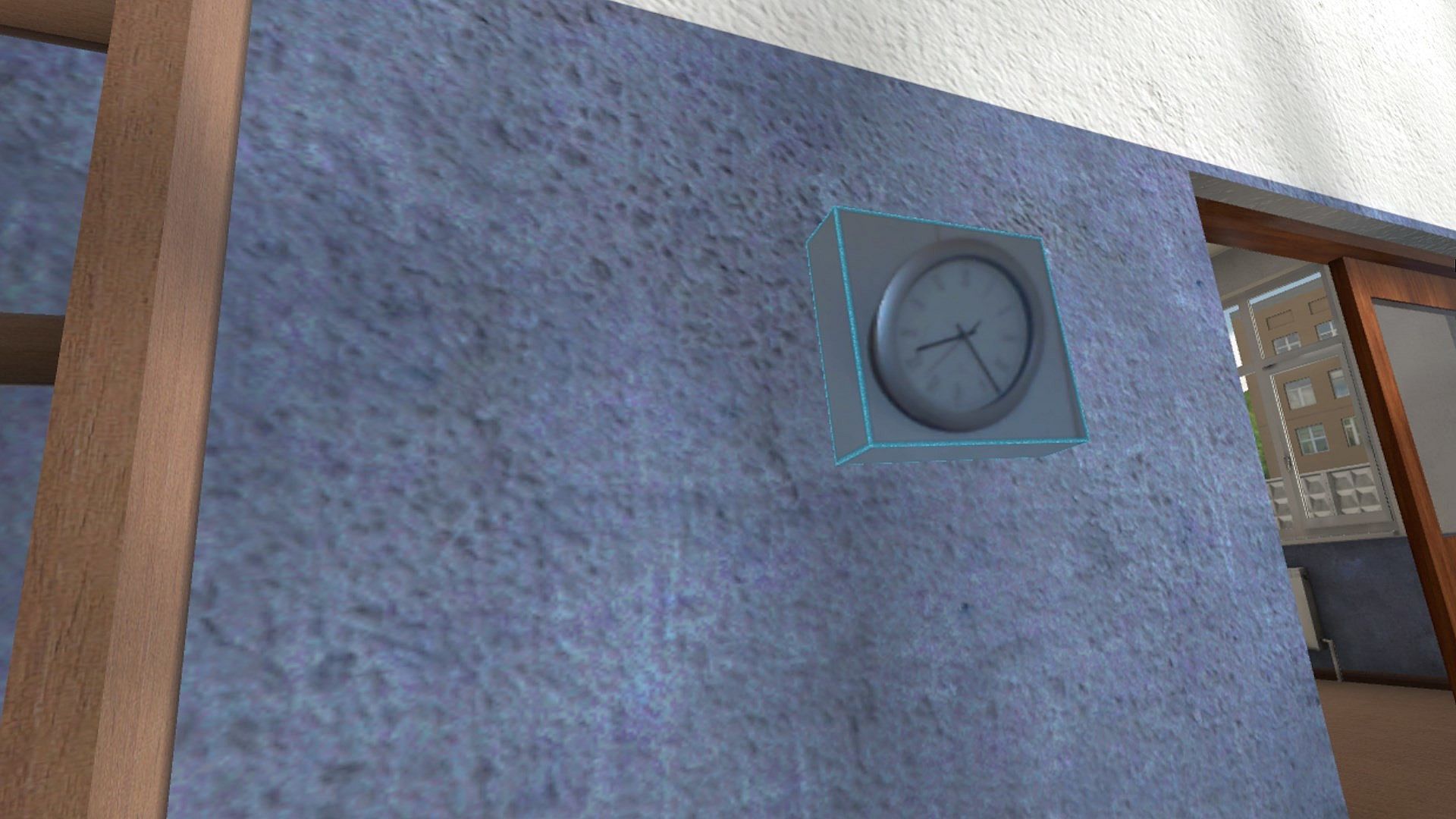
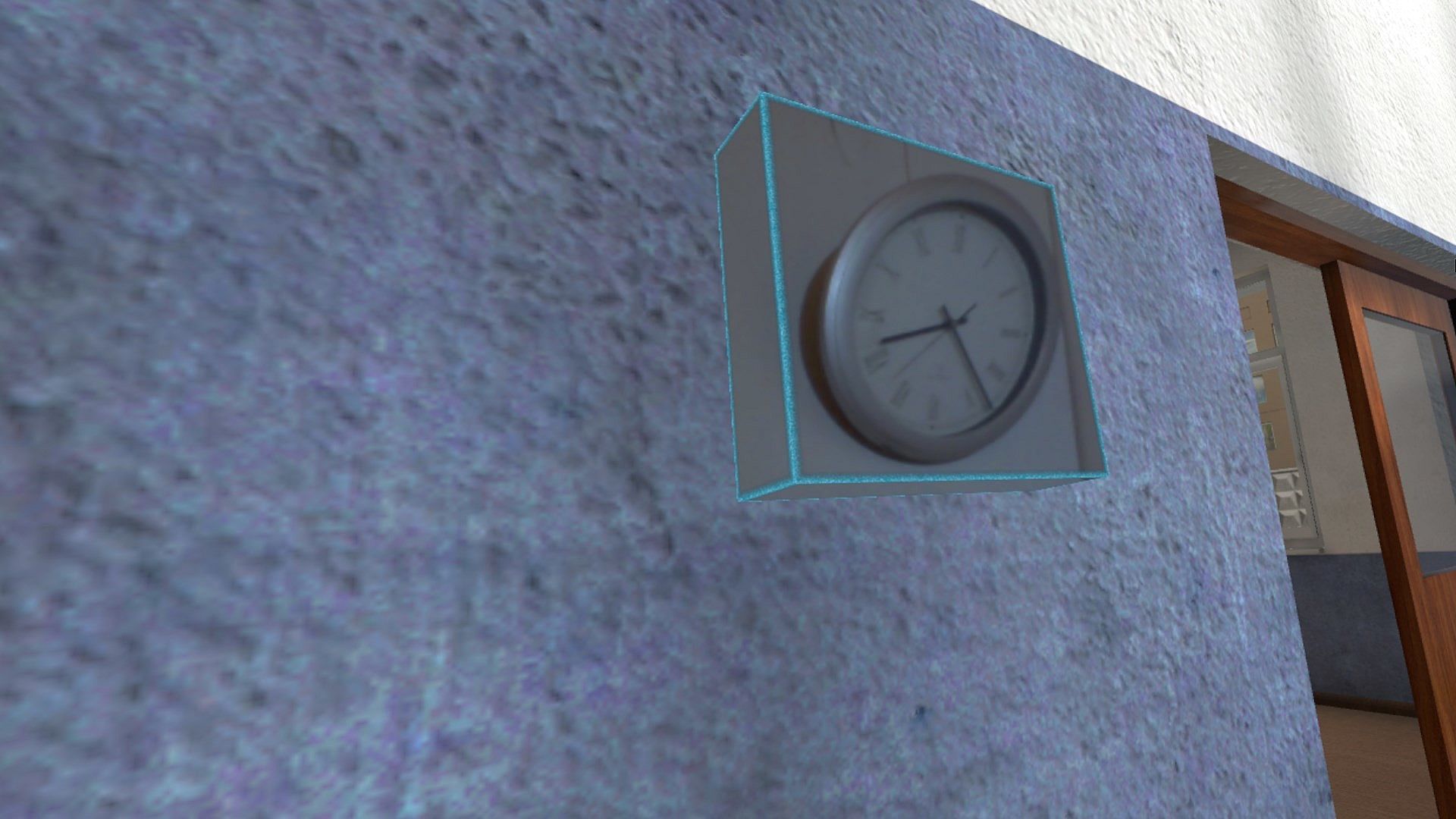
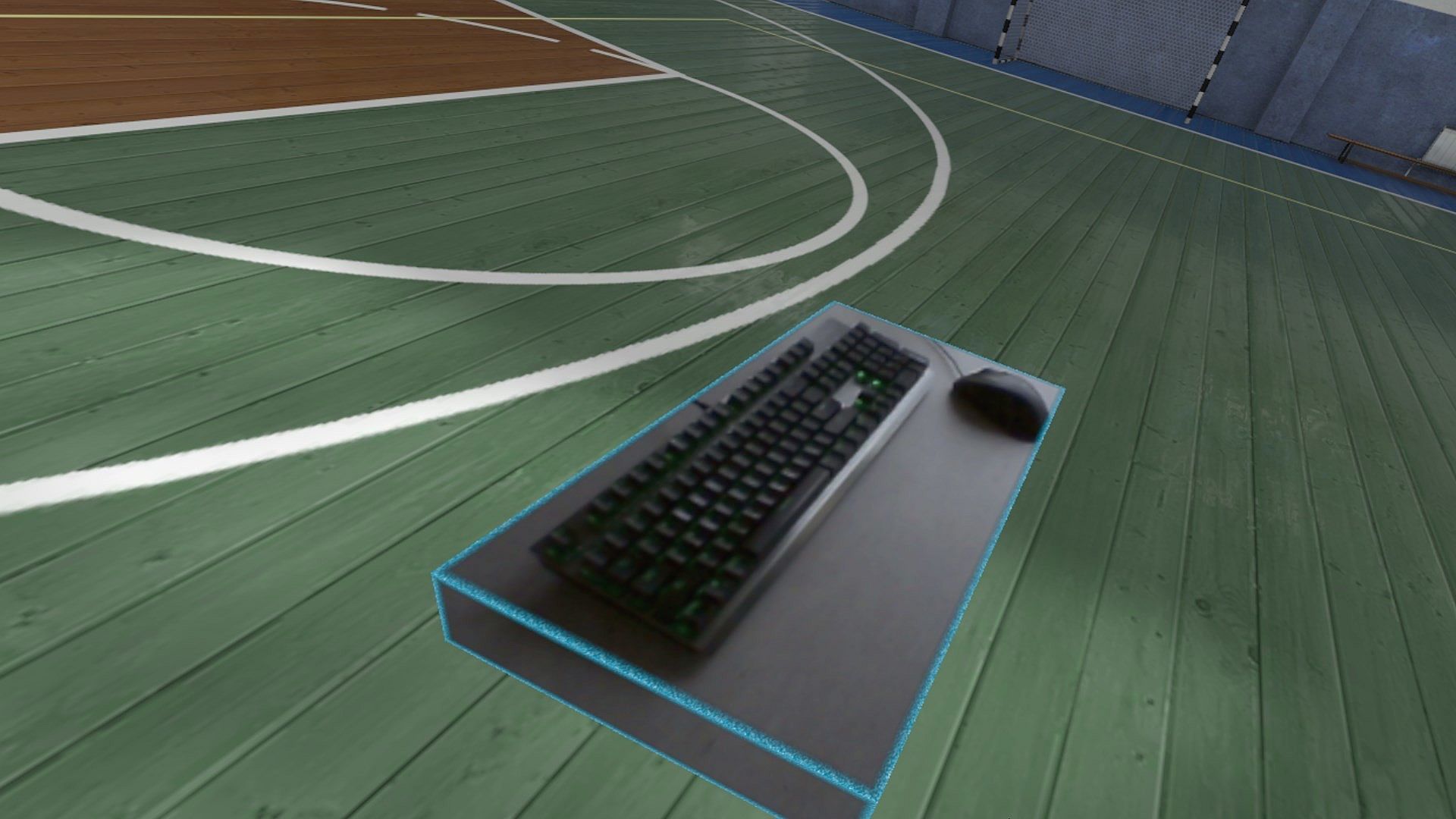
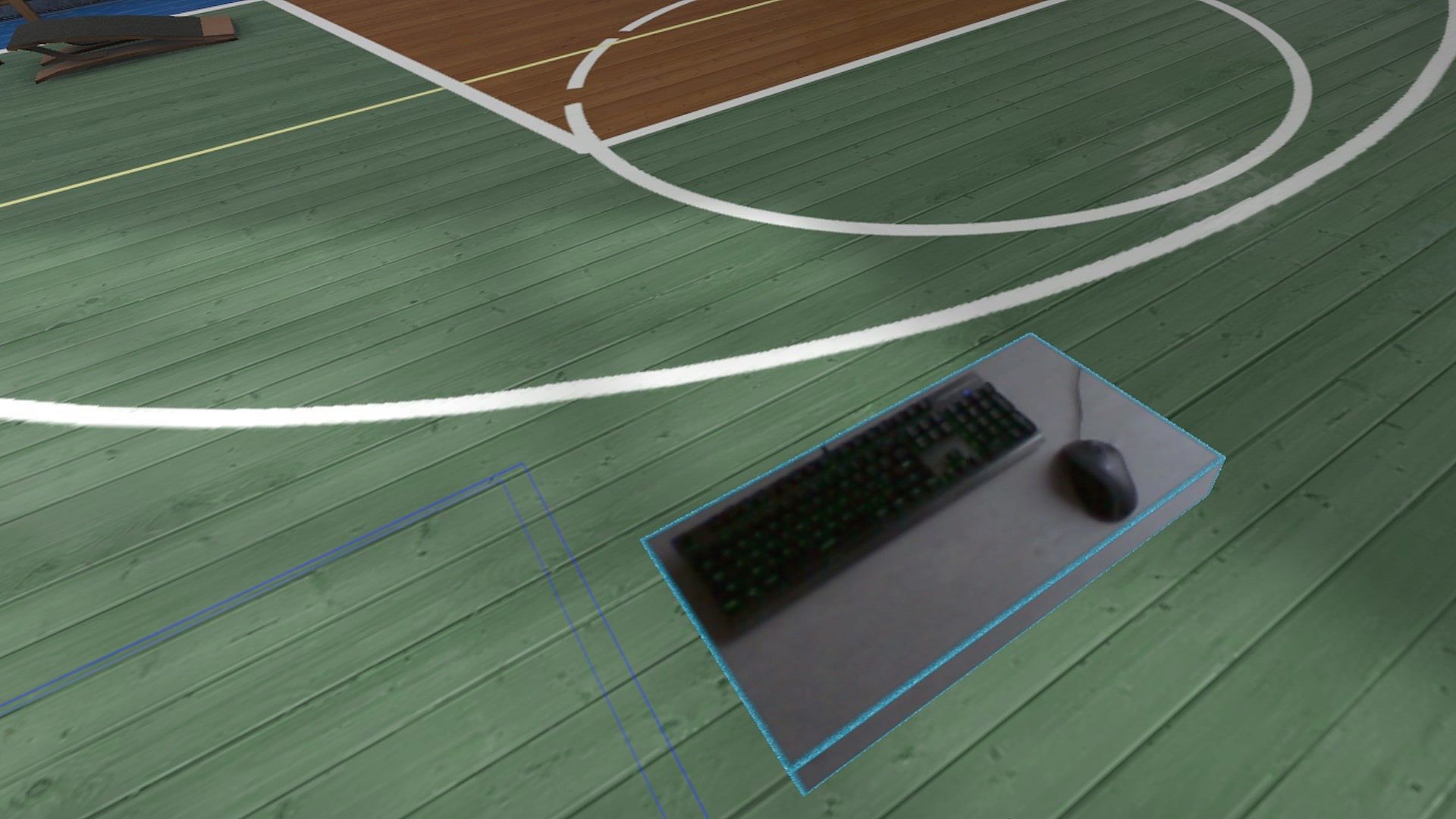
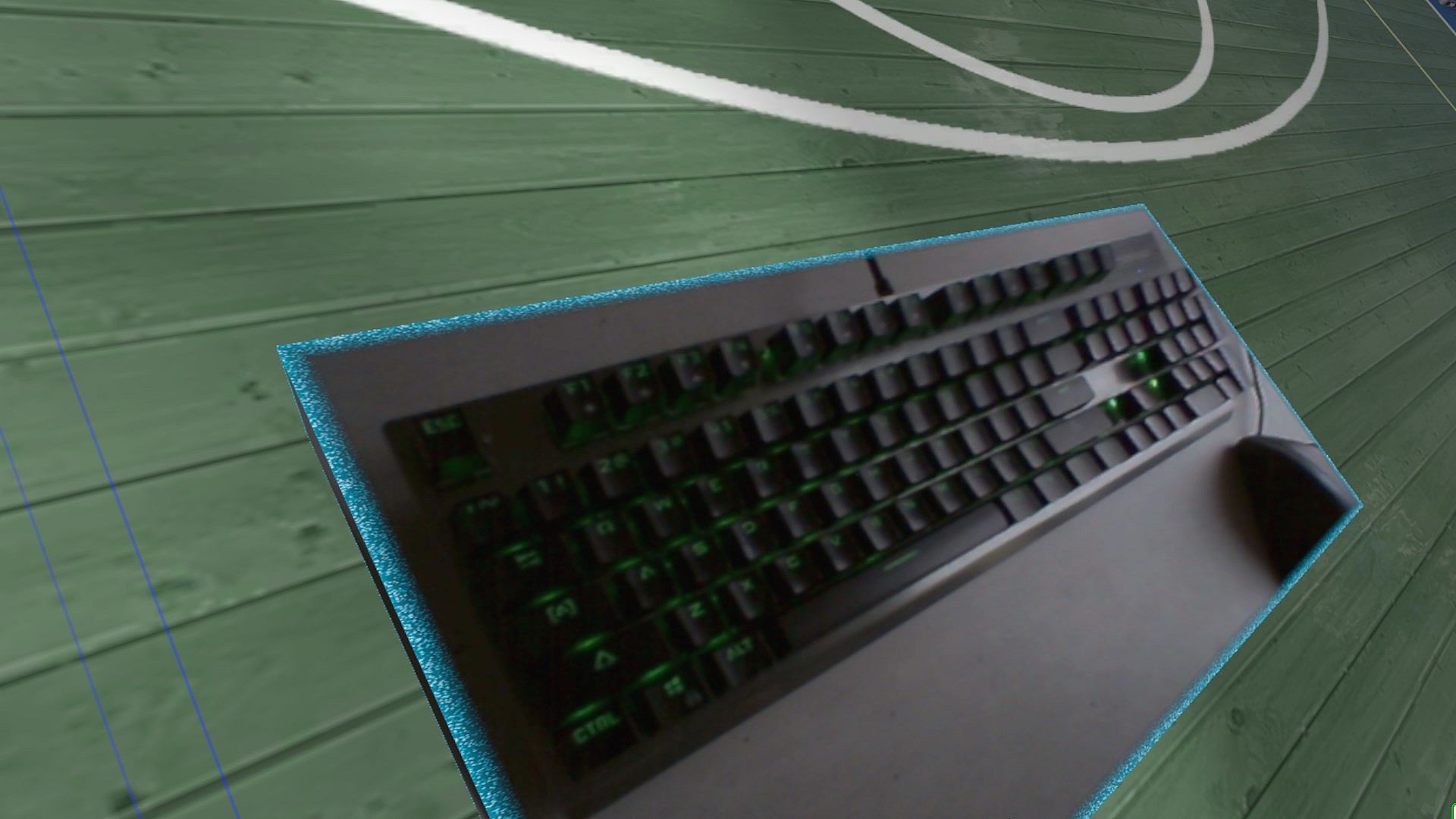
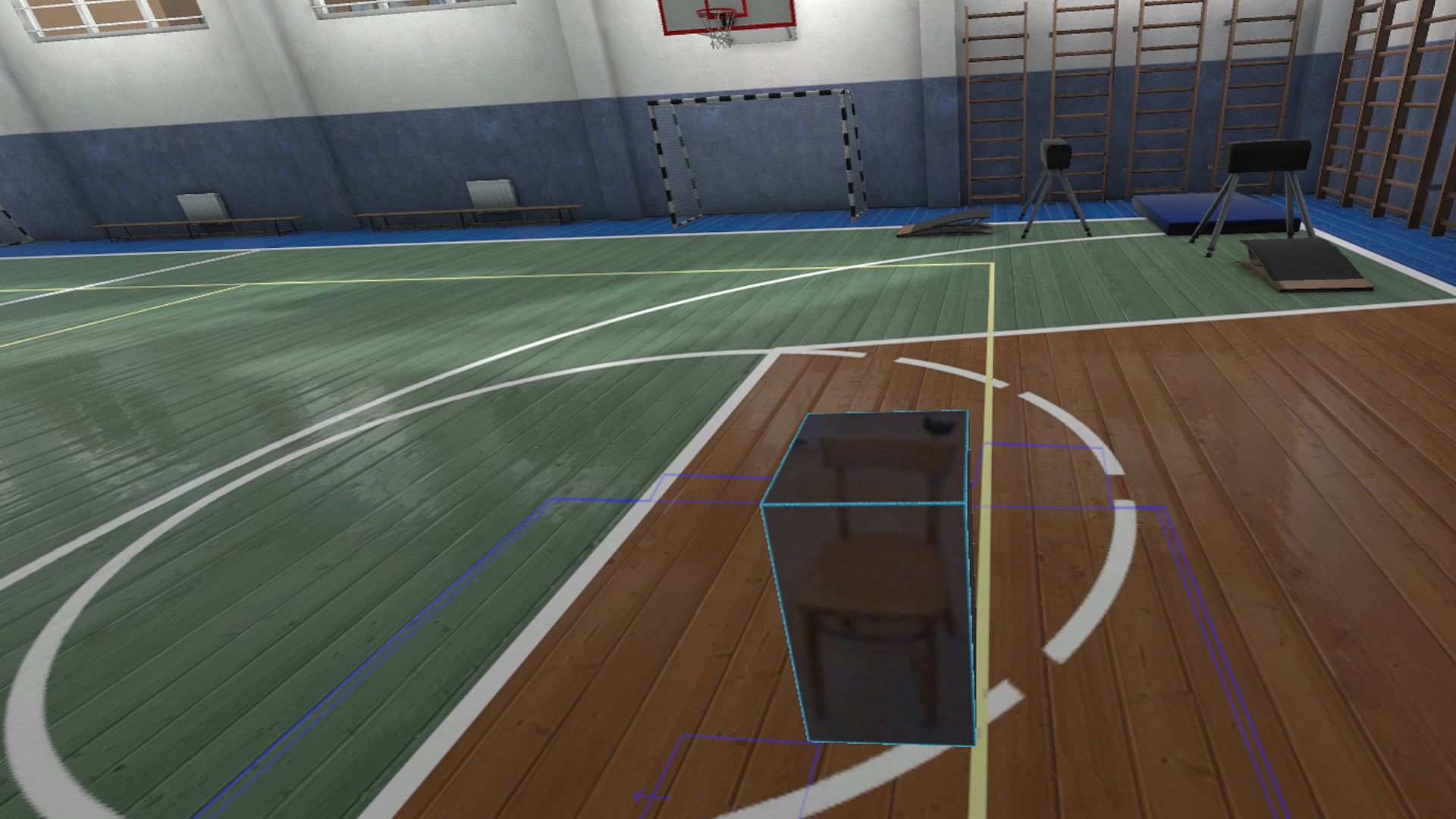
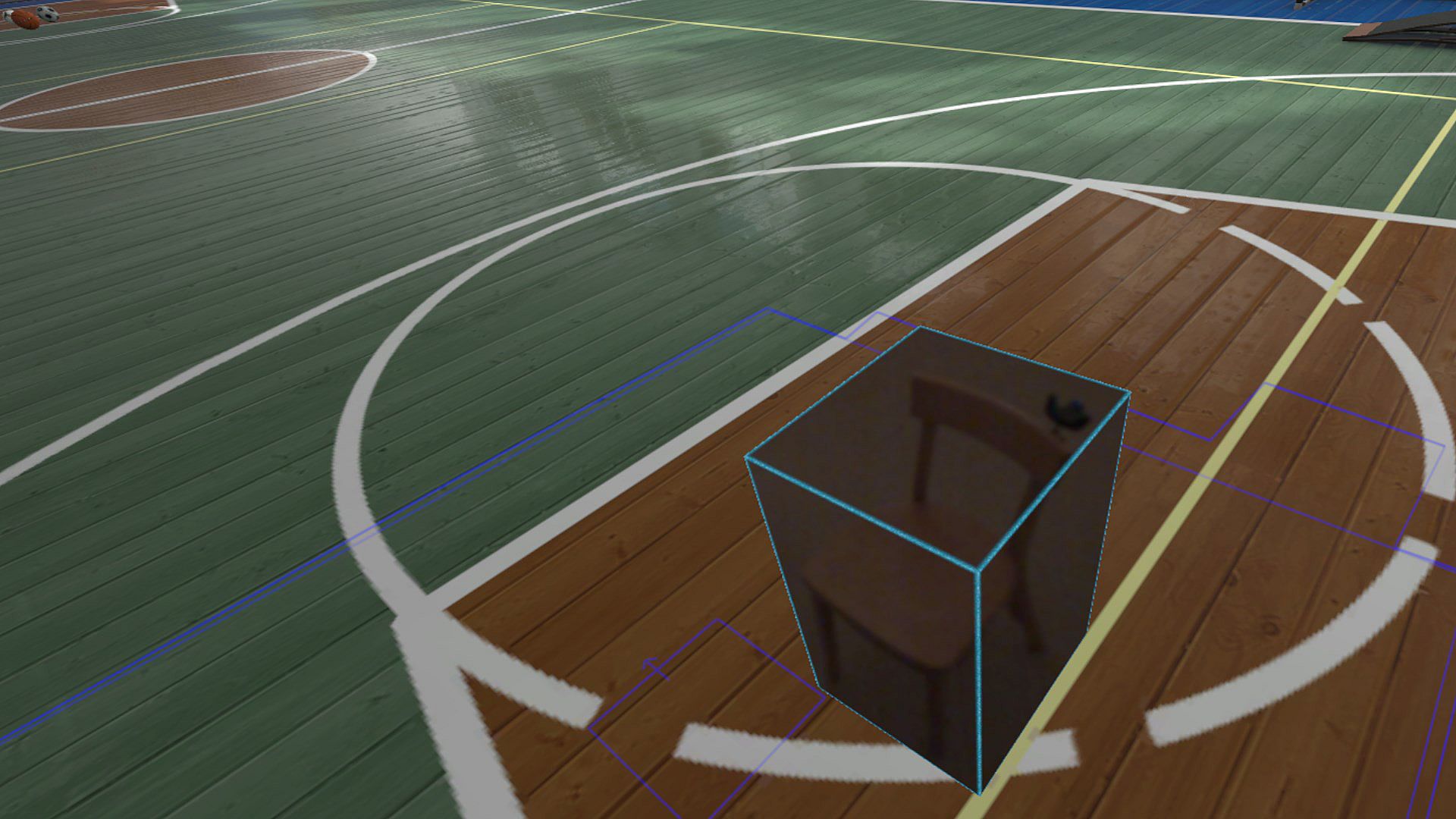
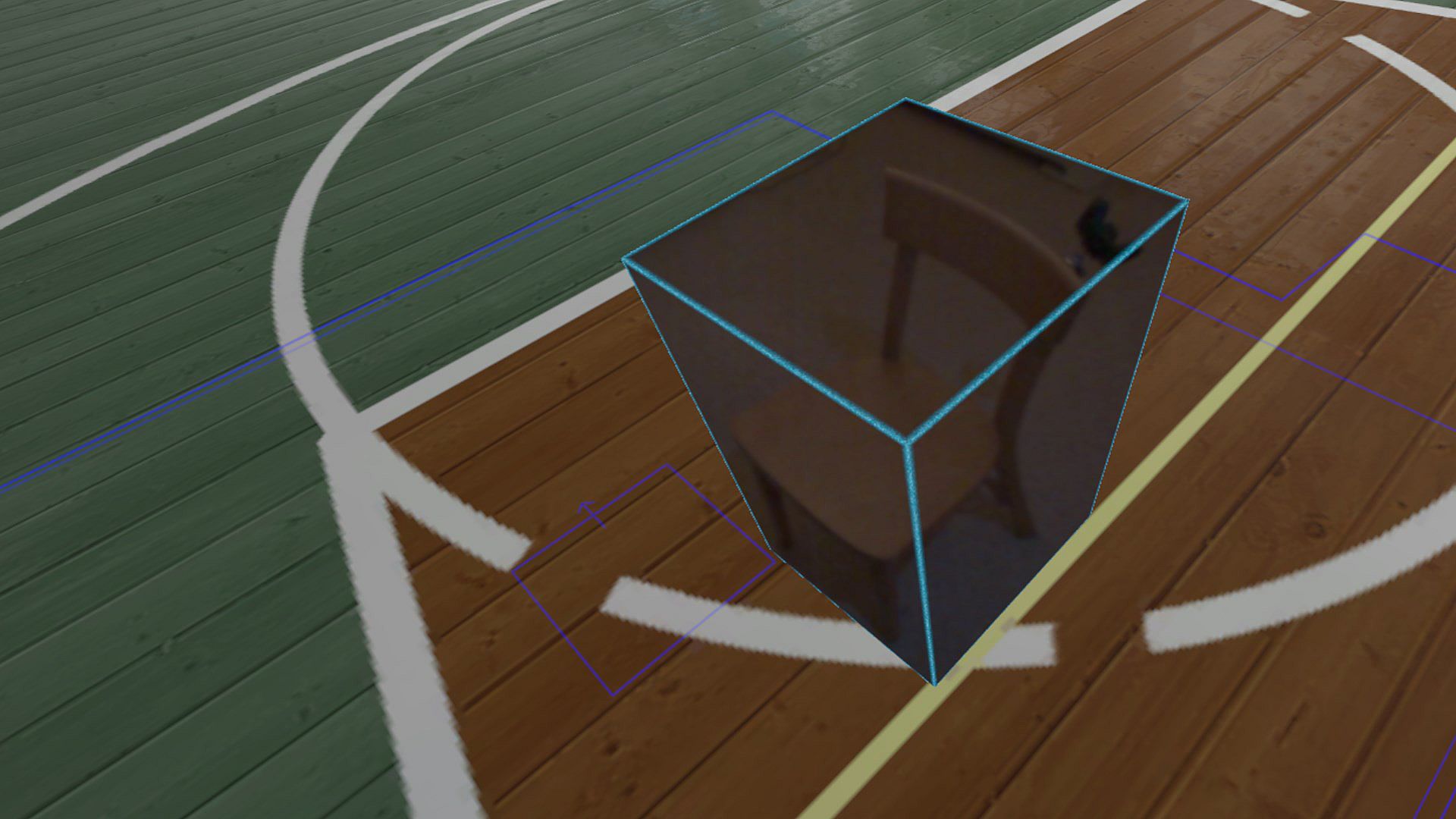
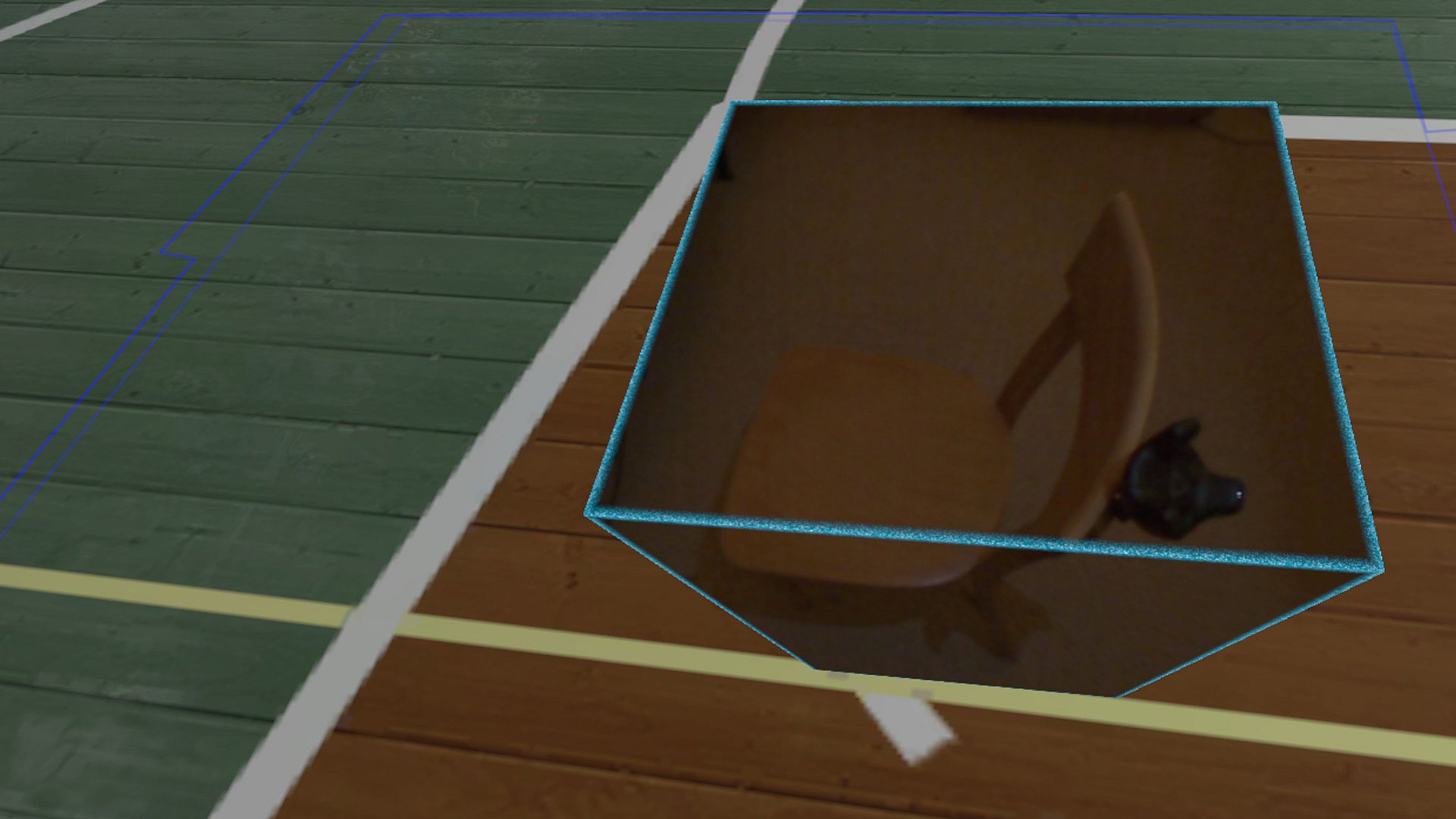
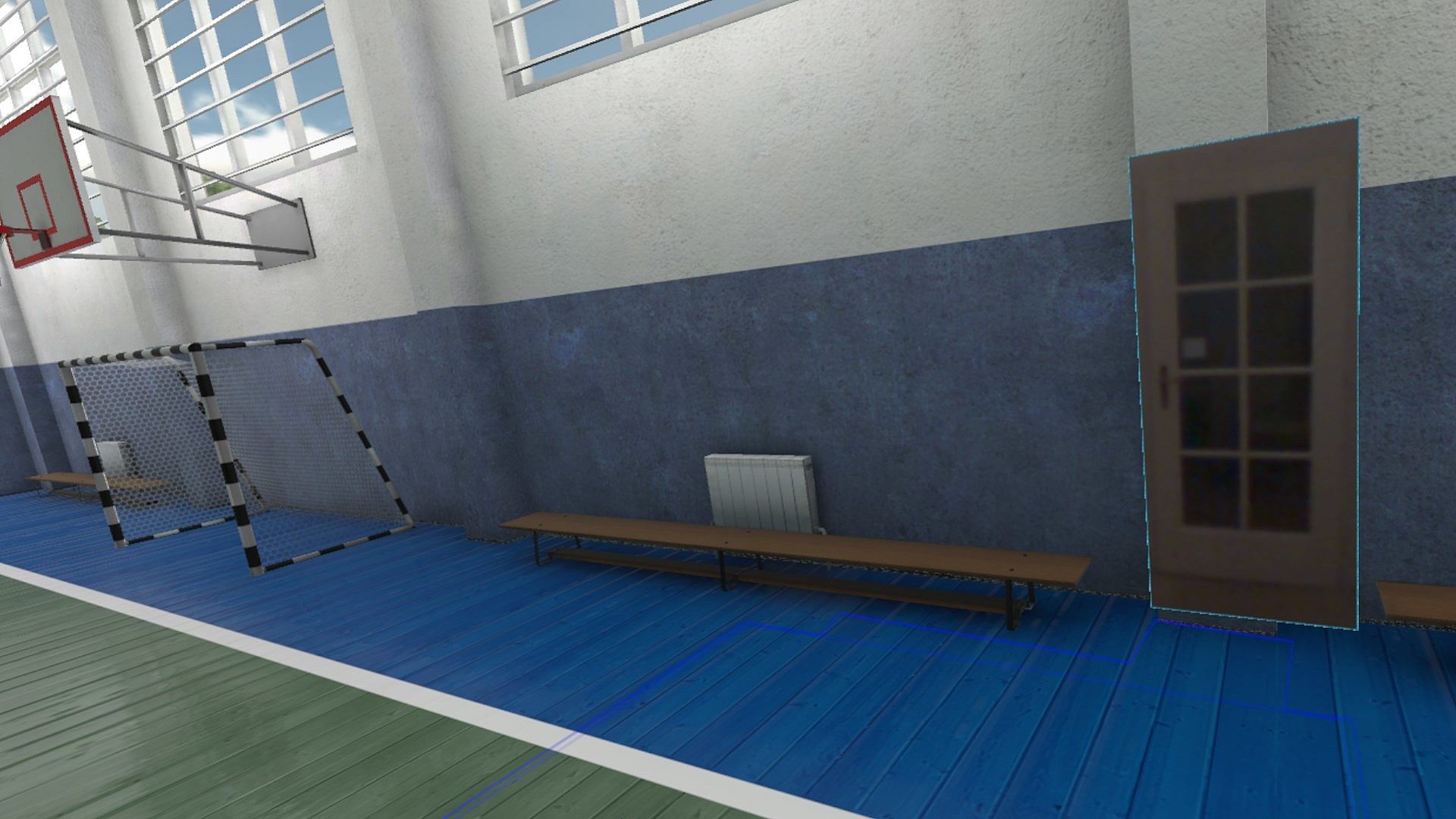
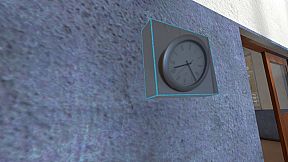
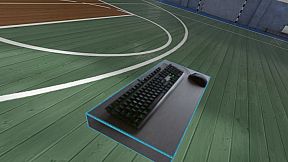
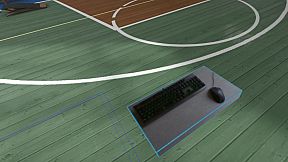
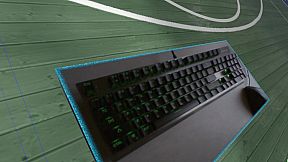
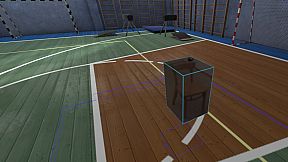
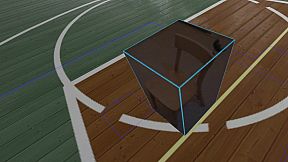
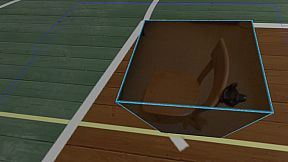
Reality Mixer lets you bring real objects into VR. It uses the cameras on the headset to show a real object and its surroundings in the current VR environment. It can be used at the same time as other VR software and games.

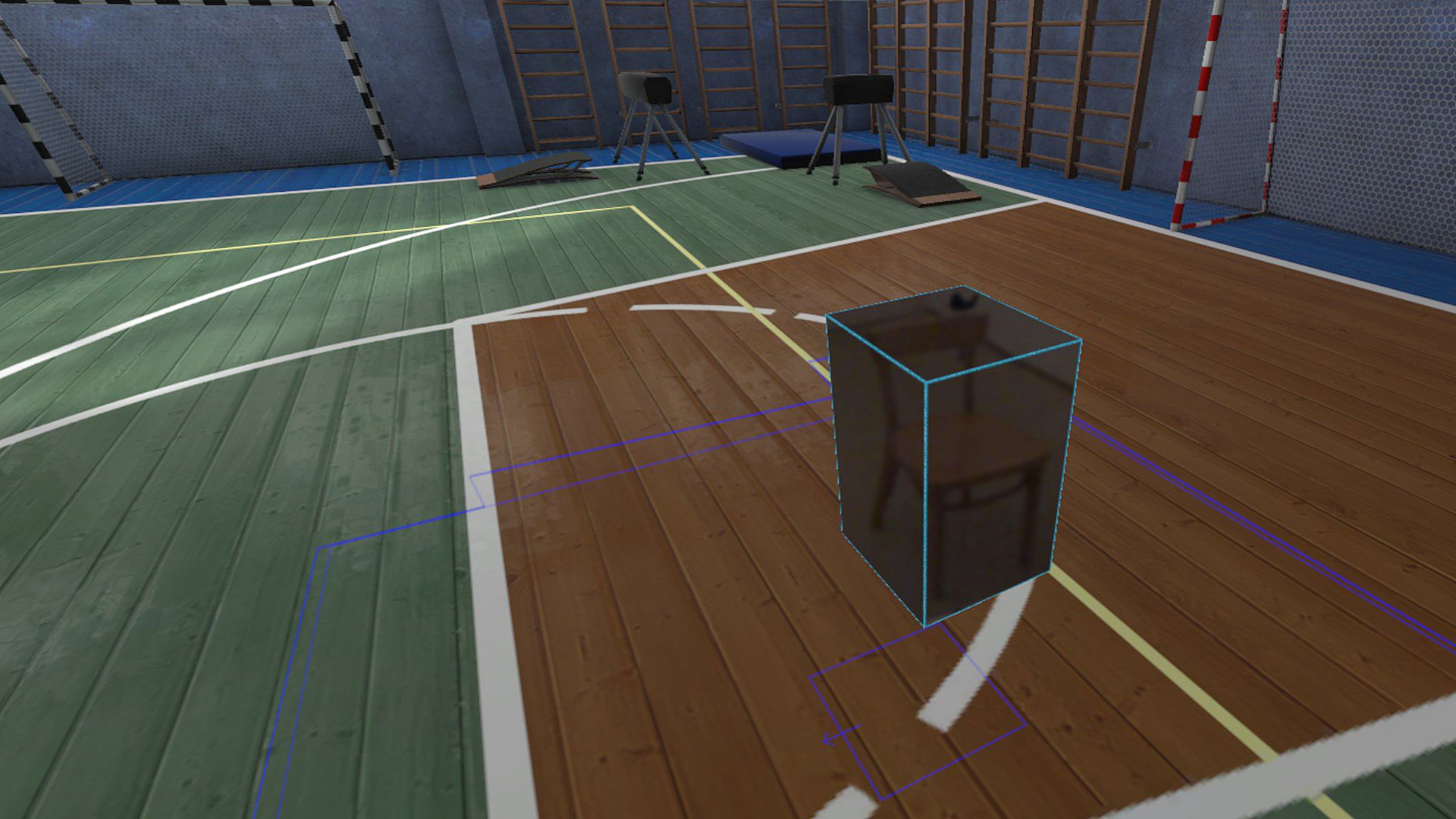
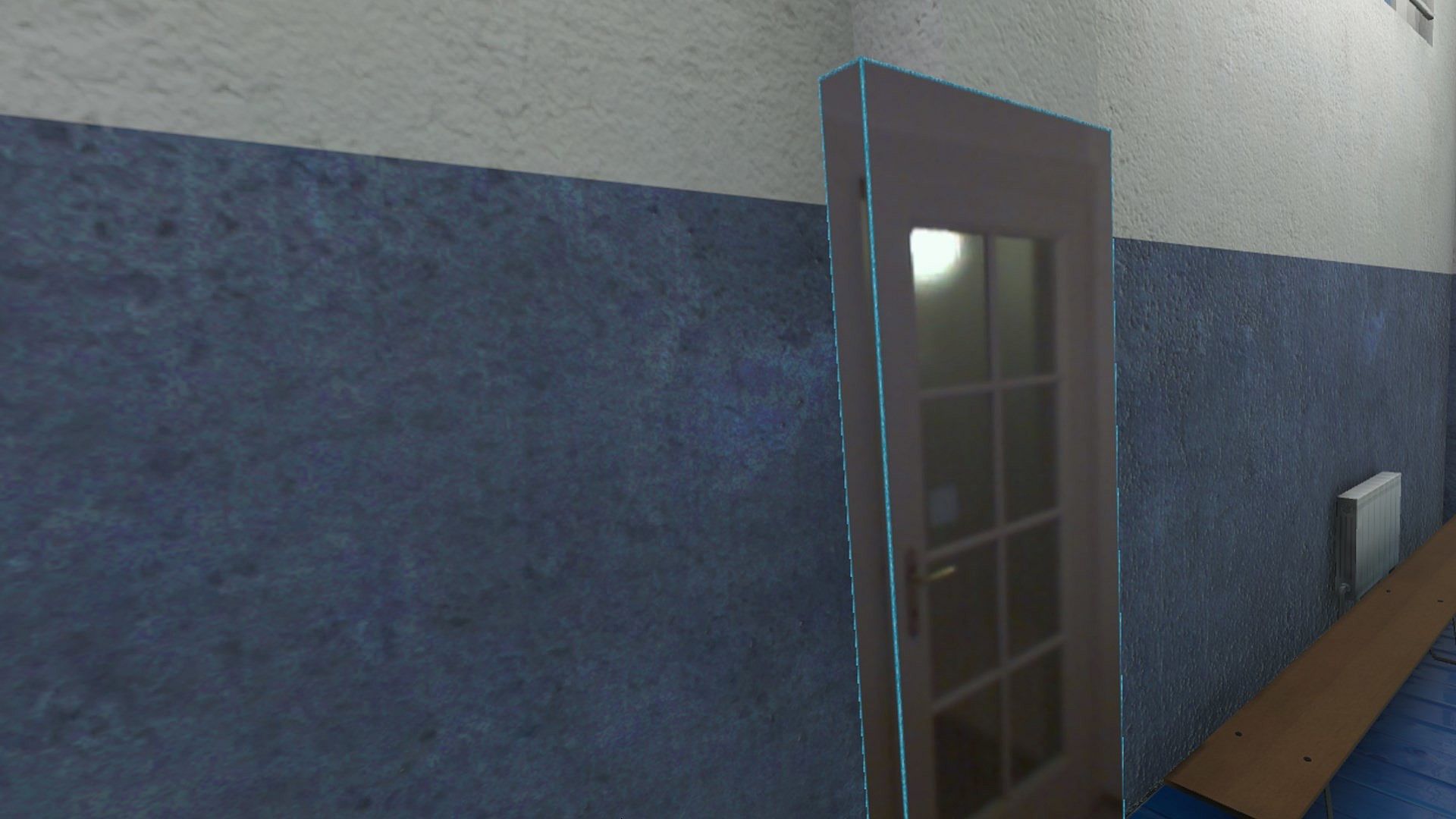
Think of objects like keyboard & mouse, a racing wheel, HOTAS, a clock on the wall, a drink on your desk, a phone, a tablet, a chair, etc. Also larger real objects can be used. Like the door to your room, so you can see who comes in, or the couch with your friends.

Bringing real objects into a virtual environment is known as 'Augmented Virtuality'.
Reality Mixer creates 'boxes of reality' which are shown in VR.
Apart from these 'camera boxes' the app also provides a mixed reality Cockpit for use with simracing and flight simulators, a Floor Viewer to quickly see the real floor around your feet and a Lap Viewer for use with seated experiences such as Big Screen. Lap Viewer can be used for quick glances at a normal (untracked) keyboard on your lap.

If you have a Vive or Tundra Tracker, you can attach a camera box to it so the tracked object will be visible wherever it is in your play area.

The real objects (and their immediate surroundings) don't have to be visible all the time. There are three activation methods:
  • Activate by Proximity: Objects (camera boxes) will fade out when you are too far away. This fade out distance can be set by yourself.
  • Activate by Gaze Angle: Look straight at a camera box to make it visible. Use this activation method with seated games where you have things on a table next to your seat. The activation angle and optional activation delay can be configured. Using an activation delay means you have to look at the object for a second before it starts to show itself, to prevent accidental activation. Floor Viewer and Lap Viewer both use Gaze Angle Activation by default, but can also use Proximity or ButtonPress activation.
  • Activate by Button Press: Press a keyboard, mouse, gamepad, HOTAS or racing wheel button to turn on/off a camera box.
When an object is not visible, it will not use any resources.

If you have an Elgato Stream Deck, or if you use Touch Portal on your phone or tablet, you can use it in VR with Reality Mixer.

Chroma keying (green screen) makes the background of the objects transparent so the VR world shows through. This can be useful for objects such as a racing wheel and HOTAS.
Instructions
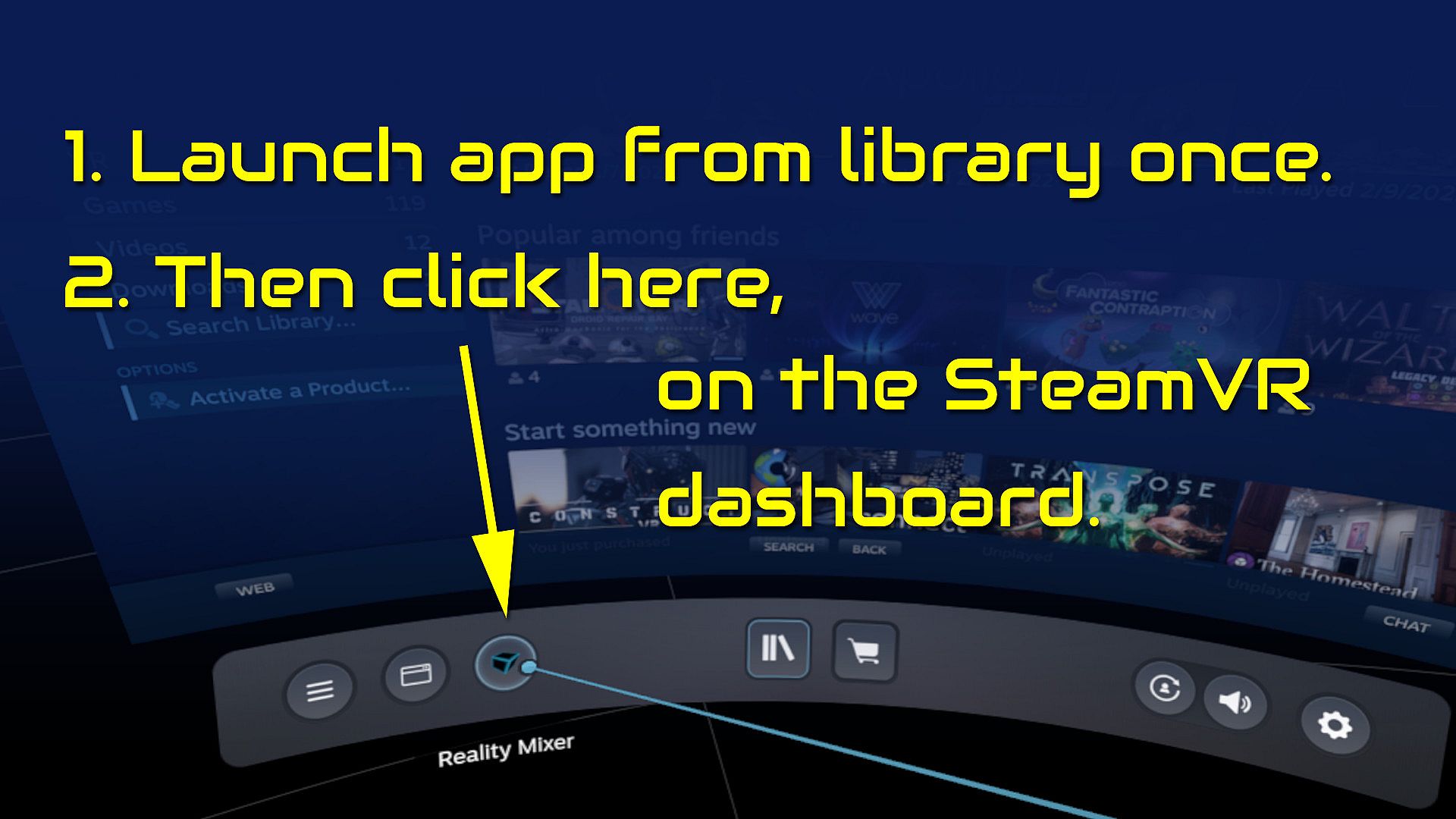
  • Start the app once from your Steam Library. It will auto-launch with SteamVR next time.
  • Open the SteamVR dashboard.
  • Click the icon for the Reality Mixer app. See image below.
  • Follow instructions on screen.
  • If you use it on a Quest, Pico or Vive XR Elite, you need to turn on passthrough in the Virtual Desktop app on your Quest/Pico/Vive XRE.
Compatibility
Reality Mixer is currently compatible with the VR headsets listed here.
  • Valve Index
  • Meta Quest 2 and 3, when used in combination with the Virtual Desktop app on the Quest
  • HP G2 (v1 and v2)
  • all first generation Windows Mixed Reality (WMR) headsets
  • HTC Vive (the original Vive)
  • HTC Vive Pro (version 1 and 2)
  • HTC Vive XR Elite, when used in combination with the Virtual Desktop app on the XR Elite
  • Pico 4, when used in combination with the Virtual Desktop app on the Pico 4
Extra features in development
  • External (USB) camera support
  • ChromaKey updates
  • Extra activation options
  • Circular passthrough shape

If you want to keep an eye on new features, switch to the beta branch of the app in your Steam Library. This is free, no code needed.

Steam:
Mostly Positive (81)

Historia cen

Historycznie najniższa cena
Keyshopy
-
-
-
Sklepy oficjalne
-
-
-

FAQ

8 pytań

Zanim zaczniesz szukać taniego klucza Reality Mixer - Mixed Reality for VR headsets (CD Key), sprawdź najważniejsze informacje. Twórcy: Reality Inside Ltd.. Wydawca: Reality Inside Ltd.. Data premiery na PC: 01 lut 2024. Gatunki: Utilities. Kategorie: Tracked Controller Support, VR Only. Recenzje Reality Mixer - Mixed Reality for VR headsets: Recenzje Steam: 79% of the 81 user reviews for this game are positive.

Q Czy Reality Mixer - Mixed Reality for VR headsets działa na Steam Decku?

Tak. Kompatybilność Reality Mixer - Mixed Reality for VR headsets ze Steam Deckiem jest zweryfikowana (Verified). Oznacza to, że gra uruchamia się bez kombinowania, ma poprawne oznaczenia przycisków i stabilne działanie — Reality Mixer - Mixed Reality for VR headsets działa świetnie na Steam Decku.

Tak. Istnieje wersja Reality Mixer - Mixed Reality for VR headsets na Steam. Wybierz ofertę oznaczoną jako Steam Key na XD.deals, aktywuj ją w kliencie Steam i graj w Reality Mixer - Mixed Reality for VR headsets na PC.

Tak. Po aktywacji klucza Steam możesz uruchomić Reality Mixer - Mixed Reality for VR headsets w trybie Offline w Steam. Zapisy zsynchronizują się przy następnym połączeniu z internetem.

Tak, możesz kupić klucz Steam do Reality Mixer - Mixed Reality for VR headsets bezpośrednio w sklepie Steam. W XD.deals zbieramy wszystkie oferty z DRM Steam, abyś mógł porównać tanie promocje na Reality Mixer - Mixed Reality for VR headsets na Steam w jednym miejscu.

Wszystkie aktywne promocje i zniżki na Reality Mixer - Mixed Reality for VR headsets znajdziesz tutaj, na XD.deals. Nasz tracker pokazuje obecnie 1 ofert z oficjalnych sklepów oraz 0 ofert z keyshopów. Sprawdź tabelę powyżej, zobacz najniższą cenę, porównaj z historycznie najniższą ceną i ustaw alert, aby nie przegapić kolejnego spadku.

Dzięki XD.deals gracze PC mogą od razu sprawdzić, gdzie kupić tani klucz Reality Mixer - Mixed Reality for VR headsets na PC (Steam). Nasz silnik porównujący ceny w czasie rzeczywistym oraz baza kuponów śledzą oficjalne sklepy i zaufane keyshopy, żebyś nie musiał. Obecnie wykrywamy 1 aktywnych ofert z oficjalnych sklepów i keyshopów.

Tak. Oficjalna strona Reality Mixer - Mixed Reality for VR headsets na Steam jest dostępna, więc możesz kupić Reality Mixer - Mixed Reality for VR headsets na Steam albo wybrać klucz Steam do Reality Mixer - Mixed Reality for VR headsets na PC na XD.deals i aktywować go od razu.

Nie — XD.deals nie jest sklepem. Jesteśmy porównywarką cen, która śledzi najlepsze oferty na Reality Mixer - Mixed Reality for VR headsets w oficjalnych sklepach i zweryfikowanych keyshopach. Kliknij „Przejdź do sklepu” przy wybranej ofercie, a przekierujemy Cię na stronę sprzedawcy, gdzie dokończysz zakup i odbierzesz klucz.

Chcesz kupić w najlepszym momencie? Ustaw alert cenowy na XD.deals i otrzymaj powiadomienie, gdy Reality Mixer - Mixed Reality for VR headsets ponownie osiągnie historycznie najniższą cenę.

Utwórz alert