












Acheter VoiceWarrior PC

Intéressé(e) par VoiceWarrior ? Nous suivons les prix auprès de boutiques de confiance. Ajoutez VoiceWarrior à votre liste de souhaits et nous vous avertirons lorsque des offres seront disponibles.

Date de sortie : 20 nov. 2017
Éditeur : DevPossible
Développeur : DevPossible
Steam:
Mostly Positive (24)
Official
Indisponible
Keyshops
Indisponible
Acheter sur une boutique officielle :
Indisponible
Acheter sur les keyshops :
Indisponible

Aucune entrée, mais ne vous inquiétez pas : nous vous informerons dès qu'une nouvelle offre apparaîtra.

Create Alert Create deal Alert

Ă€ propos de VoiceWarrior

VoiceWarrior - Ă  propos du jeu

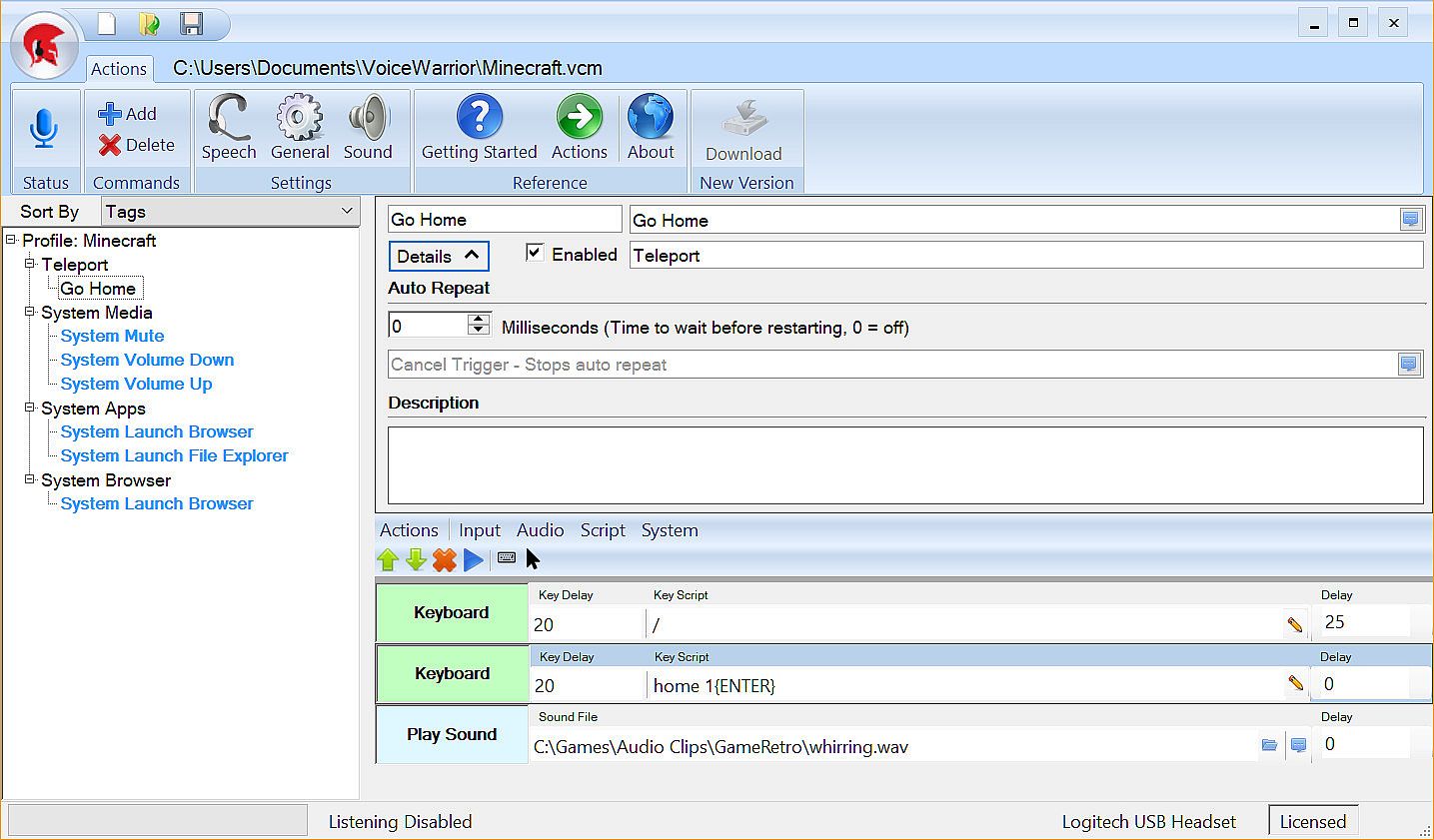
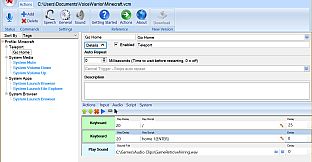
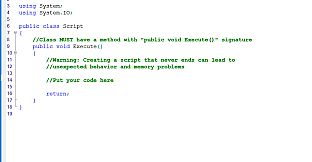
Take command of your game using your voice to execute complex or repetitive actions. VoiceWarrior lets you build simple or complex macros that will execute at the sound of your voice. Don't worry about remembering whether your fire spell is assigned to Ctrl-F3 or Ctrl-Alt-F3. Just say "Cast Fire" - or better yet, say "I summon the flame of Anor!"
Modes
  • Command Prefix: Similar in function to "OK Google" or "Hey Siri", you can customize VoiceWarrior to listen for a key word or phrase before any command. Good examples might be "VoiceWarrior" (the default), "Computer", "Command", "Sally", "Bob", "Okay then", "Execute"... So "Execute Quick Escape" would run your quick escape macro.
  • Always On: In the heat of battle, keywords can get annoyingly repetitive. If you go full tilt voice control, you aren't going to want to beg "Sally" or "Bob" to do your bidding ten times a miniute. "Always On" is the way to go if you intend to rain down verbal supremacy on your foes.
  • Push to Talk: If you also use a chat program that supports push to talk, you can keep your complaining and your commands on seperate channels by using a different Push to Talk key for each purpose.
Features
  • Text to speech feedback: You say "Prepare for battle", all of your party buff spells are cast, and then you hear "Your companions seems stronger now."
  • Custom music playback: As soons as you hear "Your companions seem stronger now", your music changes to your chosen battle anthem. We are partial to Pantera's Vulger Display of Power albulm.
  • Custom Sound Effects: You say "Fire Phasers", and you hear a clip of Scotty saying "Aye Captain". Or maybe you say "Teleport Home" and you hear dorothy say "There's no place like home". Your imagination is the only limit here. The internet has every sound clip you can imagine.
  • Tags: Tag your commands with mutiple categories. For example, put your "Fireball" command in the Battle, Offense, and Spells categories.
  • Command Management: Enable or disable single commands or entire cagegories from a macro. For example you can have one set of commands for Battle, another for exploring, and yet another for PVP. "Cast Buffs" might mean something different in each scenario. You could also setup a category for your game's menu system, and activate it using a command that disables all other command categories.
  • Sub Commands: No need to define macros over and over again to include the same functions in another macro. Have your "Fire Everything" command call "Fire Phasers", "Fire Photo Torpedos", and "Reinforce Forward Shields".
  • System Profile: You can configure a system profile of commands that are always loaded in addition to the current loaded profile.
  • Named Profiles: Using the system profile, you can setup profile load commands to open specific profiles. "Voicewarrior load profile for VR", "VoiceWarrior load profile for Minecraft"
  • Virtual Reality: While there is nothing specifically VR about VoiceWarrior from a technical perspective, headsets with microphones go with VR like peanut butter goes with jelly. One thing that seems to be more difficult than it should is moving from the Oculus Store to Steam (where all your paid apps are, right?). So then, you can see how it would be great if you could have VoiceWarrior launch Steam in VR Mode. Just sayin'...
Steam:
Mostly Positive (24)

Historique des prix

Plus bas historique
Keyshops
-
-
-
Boutiques officielles
-
-
-

FAQ

8 questions

Avant de commencer à chercher une clé CD VoiceWarrior pas chère, prenez un moment pour vérifier l'essentiel. Développé par DevPossible. Publié par DevPossible. Date de sortie PC : 20 nov. 2017. Genres : Utilities. Avis sur VoiceWarrior : Avis Steam : 70% of the 24 user reviews for this game are positive.

Q Puis-je jouer Ă  VoiceWarrior sur Steam Deck ?

Non, pas pour le moment. Valve indique que VoiceWarrior n'est pas pris en charge sur Steam Deck, donc il ne se lance pas via Proton actuellement. Gardez un œil sur XD.deals - nous suivons les avancées Proton et les correctifs de la communauté, et nous le signalerons dès qu'il existera une méthode fonctionnelle pour jouer à VoiceWarrior sur Steam Deck.

Oui. Une version Steam de VoiceWarrior existe. Choisissez n'importe quelle offre marquée Clé Steam sur XD.deals, activez-la dans le client desktop et jouez à VoiceWarrior sur Steam PC.

Oui. Une fois votre clé Steam activée, vous pouvez lancer VoiceWarrior en mode hors ligne via Steam. Vos sauvegardes se synchroniseront la prochaine fois que vous serez en ligne.

Oui, vous pouvez acheter une clé Steam VoiceWarrior directement sur le Steam Store. Sur XD.deals, nous agrégeons toutes les offres Steam DRM disponibles afin que vous puissiez comparer les bons plans Steam VoiceWarrior pas chers au même endroit.

Pour le moment, nous n'avons aucune offre en direct pour VoiceWarrior 2 - boutiques officielles (0) et keyshops (0) indiquent le jeu comme épuisé ou temporairement indisponible...

Avec XD.deals, les joueurs PC voient instantanément où acheter une clé Steam VoiceWarrior PC pas chère. Notre moteur de comparaison en temps réel et notre base de coupons sélectionnés suivent chaque boutique officielle et keyshop fiable - vous n'avez rien à faire. En ce moment, nous détectons ce jeu dans 0 offres en direct de boutiques et de keyshops.

Pas encore. Il n'y a pas de fiche Steam pour VoiceWarrior actuellement, donc vous ne pouvez pas acheter VoiceWarrior sur Steam aujourd'hui. À la place, parcourez les autres offres VoiceWarrior sur XD.deals - les boutiques officielles et keyshops proposent souvent des versions sans DRM ou des clés de launcher pour jouer en attendant une sortie Steam.

Non - XD.deals n'est pas une boutique. Nous sommes un service de comparaison de prix qui suit les meilleures offres pour VoiceWarrior sur les boutiques officielles et les keyshops vérifiés. Cliquez sur " Acheter maintenant " à côté de l'offre souhaitée, et vous serez redirigé(e) vers le site du vendeur pour finaliser l'achat et recevoir la clé.

Prêt(e) à vous lancer ? Créez une alerte de prix sur XD Deals et récupérez une clé Steam VoiceWarrior en promo dès qu'elle atteint son prochain plus bas historique.

Créer une alerte