

















in progress...

VoiceWarrior PC kaufen

Interessiert an VoiceWarrior? Wir tracken Preise von vertrauenswürdigen Shops. Füge VoiceWarrior zu deiner Wunschliste hinzu und wir benachrichtigen dich, sobald Angebote verfügbar sind.

Veröffentlichung: 20 Nov. 2017
Publisher: DevPossible
Entwickler: DevPossible
Steam:
Mostly Positive (24)
Official
Nicht verfügbar
Keyshops
Nicht verfügbar
Im offiziellen Store kaufen:
Nicht verfügbar
Im Keyshop kaufen:
Nicht verfügbar

Noch keine Angebote. Wir informieren dich, sobald neue Preise verfügbar sind.

Create Alert Create deal Alert

Über VoiceWarrior

VoiceWarrior - Spielbeschreibung

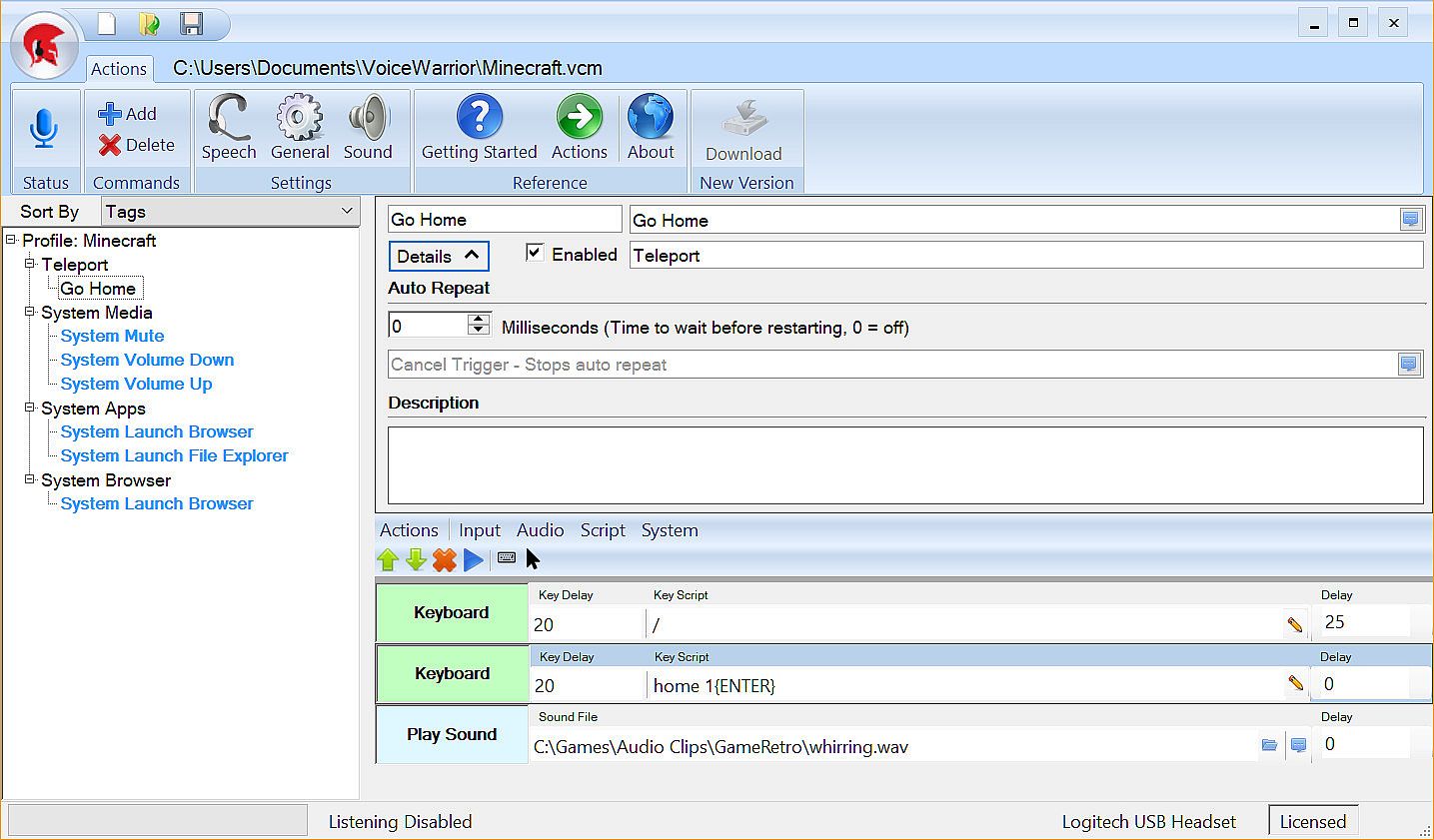
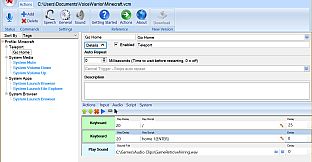
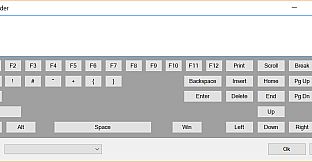
Take command of your game using your voice to execute complex or repetitive actions. VoiceWarrior lets you build simple or complex macros that will execute at the sound of your voice. Don't worry about remembering whether your fire spell is assigned to Ctrl-F3 or Ctrl-Alt-F3. Just say "Cast Fire" - or better yet, say "I summon the flame of Anor!"
Modes
  • Command Prefix: Similar in function to "OK Google" or "Hey Siri", you can customize VoiceWarrior to listen for a key word or phrase before any command. Good examples might be "VoiceWarrior" (the default), "Computer", "Command", "Sally", "Bob", "Okay then", "Execute"... So "Execute Quick Escape" would run your quick escape macro.
  • Always On: In the heat of battle, keywords can get annoyingly repetitive. If you go full tilt voice control, you aren't going to want to beg "Sally" or "Bob" to do your bidding ten times a miniute. "Always On" is the way to go if you intend to rain down verbal supremacy on your foes.
  • Push to Talk: If you also use a chat program that supports push to talk, you can keep your complaining and your commands on seperate channels by using a different Push to Talk key for each purpose.
Features
  • Text to speech feedback: You say "Prepare for battle", all of your party buff spells are cast, and then you hear "Your companions seems stronger now."
  • Custom music playback: As soons as you hear "Your companions seem stronger now", your music changes to your chosen battle anthem. We are partial to Pantera's Vulger Display of Power albulm.
  • Custom Sound Effects: You say "Fire Phasers", and you hear a clip of Scotty saying "Aye Captain". Or maybe you say "Teleport Home" and you hear dorothy say "There's no place like home". Your imagination is the only limit here. The internet has every sound clip you can imagine.
  • Tags: Tag your commands with mutiple categories. For example, put your "Fireball" command in the Battle, Offense, and Spells categories.
  • Command Management: Enable or disable single commands or entire cagegories from a macro. For example you can have one set of commands for Battle, another for exploring, and yet another for PVP. "Cast Buffs" might mean something different in each scenario. You could also setup a category for your game's menu system, and activate it using a command that disables all other command categories.
  • Sub Commands: No need to define macros over and over again to include the same functions in another macro. Have your "Fire Everything" command call "Fire Phasers", "Fire Photo Torpedos", and "Reinforce Forward Shields".
  • System Profile: You can configure a system profile of commands that are always loaded in addition to the current loaded profile.
  • Named Profiles: Using the system profile, you can setup profile load commands to open specific profiles. "Voicewarrior load profile for VR", "VoiceWarrior load profile for Minecraft"
  • Virtual Reality: While there is nothing specifically VR about VoiceWarrior from a technical perspective, headsets with microphones go with VR like peanut butter goes with jelly. One thing that seems to be more difficult than it should is moving from the Oculus Store to Steam (where all your paid apps are, right?). So then, you can see how it would be great if you could have VoiceWarrior launch Steam in VR Mode. Just sayin'...
Steam:
Mostly Positive (24)

Preisverlauf

Historical low
Keyshops
-
-
-
Official Stores
-
-
-

FAQ

8 Fragen

Bevor du nach einem günstigen VoiceWarrior CD Key suchst, wirf einen Blick auf die wichtigsten Fakten. Entwickelt von DevPossible. Veröffentlicht von DevPossible. PC Release-Datum: 20 Nov. 2017. Genres: Utilities. VoiceWarrior Bewertungen: Steam Rezensionen: 70% of the 24 user reviews for this game are positive.

Q Kann ich VoiceWarrior auf dem Steam Deck spielen?

Nein, derzeit nicht. Valve kennzeichnet VoiceWarrior als nicht unterstützt auf dem Steam Deck. Es startet aktuell nicht über Proton. Behalte XD.deals im Blick - wir melden dir sofort, wenn ein Weg gefunden ist, VoiceWarrior auf dem Steam Deck zu spielen.

Ja. Es gibt eine Steam-Version von VoiceWarrior. Wähle ein Angebot mit dem Tag Steam Key auf XD.deals, aktiviere es im Steam-Client und spiele VoiceWarrior auf deinem PC.

Ja. Nachdem du deinen Steam Key eingelöst hast, kannst du VoiceWarrior im Offline-Modus von Steam starten. Deine Spielstände synchronisieren sich, sobald du wieder online bist.

Ja, du kannst einen VoiceWarrior Steam Key direkt im Steam Store kaufen. Auf XD.deals listen wir alle verfügbaren Steam-DRM-Angebote, damit du günstige VoiceWarrior Steam Deals auf einen Blick vergleichen kannst.

Momentan haben wir keine aktiven Angebote für VoiceWarrior - sowohl offizielle Shops (0) als auch Keyshops (0) zeigen das Spiel als ausverkauft oder vorübergehend nicht verfügbar...

Mit XD.deals sehen PC-Spieler sofort, wo sie einen günstigen VoiceWarrior PC Steam Key kaufen können. Unsere Preisvergleichs-Engine in Echtzeit und unsere kuratierte Gutscheindatenbank überwachen jeden offiziellen Shop und vertrauenswürdigen Keyshop. Aktuell erkennen wir dieses Spiel in 0 Live-Angeboten von Shops und Keyshops.

Noch nicht. Aktuell gibt es keinen VoiceWarrior Steam-Eintrag, daher kannst du VoiceWarrior heute nicht auf Steam kaufen. Schau dir stattdessen die anderen VoiceWarrior Angebote auf XD.deals an - offizielle Shops und Keyshops bieten oft DRM‑freie oder Launcher‑Key-Versionen.

Nein - XD.deals ist kein Shop. Wir sind ein Preisvergleichs-Service, der die besten Angebote für VoiceWarrior aus offiziellen Shops und verifizierten Keyshops verfolgt. Klicke 'Jetzt kaufen' neben dem gewünschten Deal, um zum Händler zu wechseln und dort den Key zu erhalten.

Bereit zum Zocken? Setze einen Preisalarm auf XD.deals und sichere dir einen reduzierten VoiceWarrior Steam Key, sobald er sein nächstes Allzeit-Tief erreicht.

Create Alert