

Comprar Step Sixteen PC Key

Onde comprar Step Sixteen? Neste momento o jogo não está à venda em nenhuma das lojas que seguimos. Isso não quer dizer que fique assim, porque as lojas acrescentam e retiram títulos continuamente e nós verificamo-las todos os dias. Cria um alerta de preço e avisamos assim que alguma loja publicar uma oferta.

Lançamento: 31 mai. 2023
Rogue Waves
Rogue Waves
Steam:
Overwhelmingly Negative (3)
Official
Indisponível
Keyshops
Indisponível
Comprar em Loja Oficial:
Indisponível
Comprar em Keyshops:
Indisponível

Sem entradas, mas não se preocupe, iremos informá-lo assim que surgir uma nova oferta.

Create Alert Create deal Alert

Sobre Step Sixteen

Step Sixteen - sobre o jogo
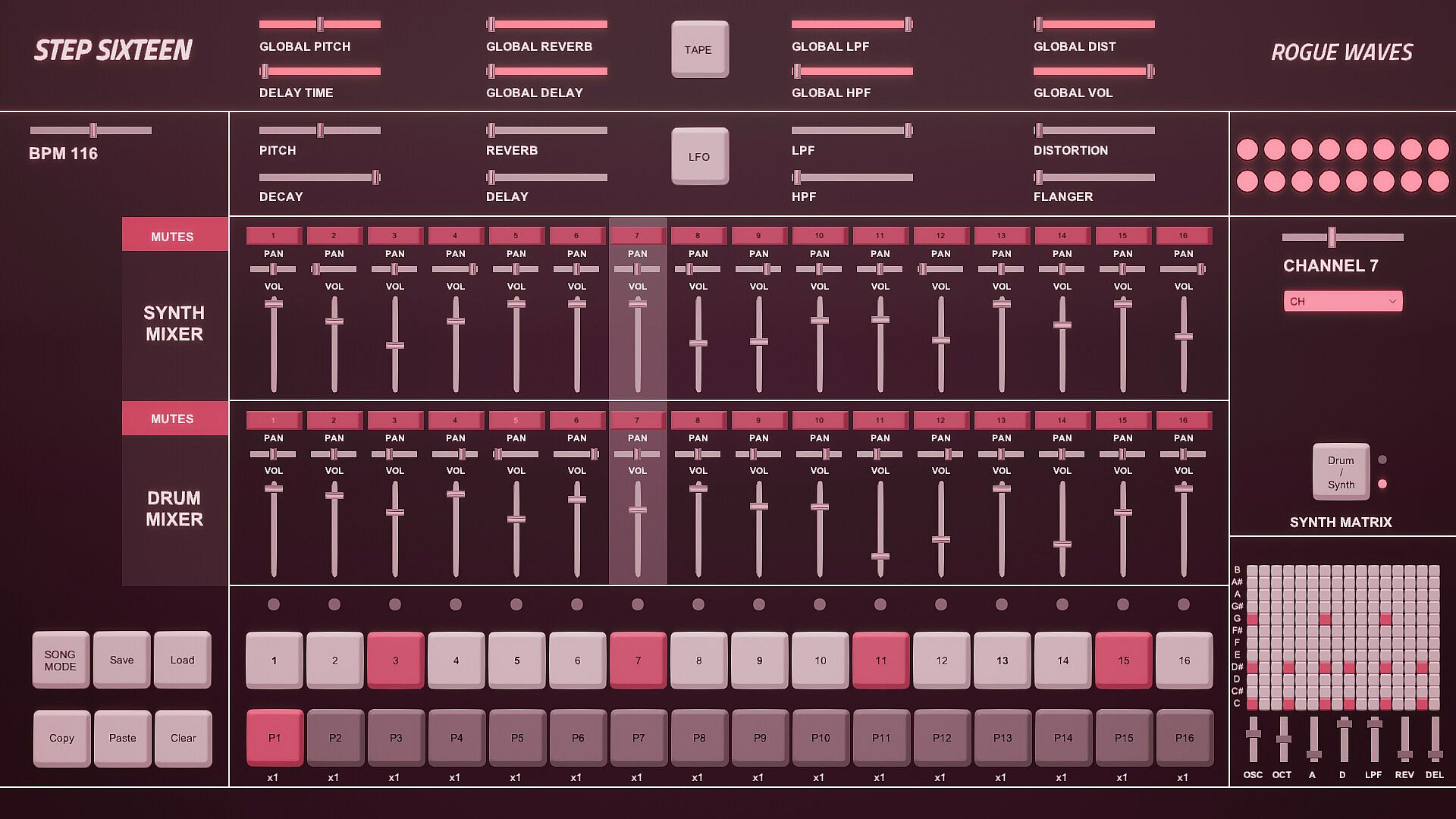
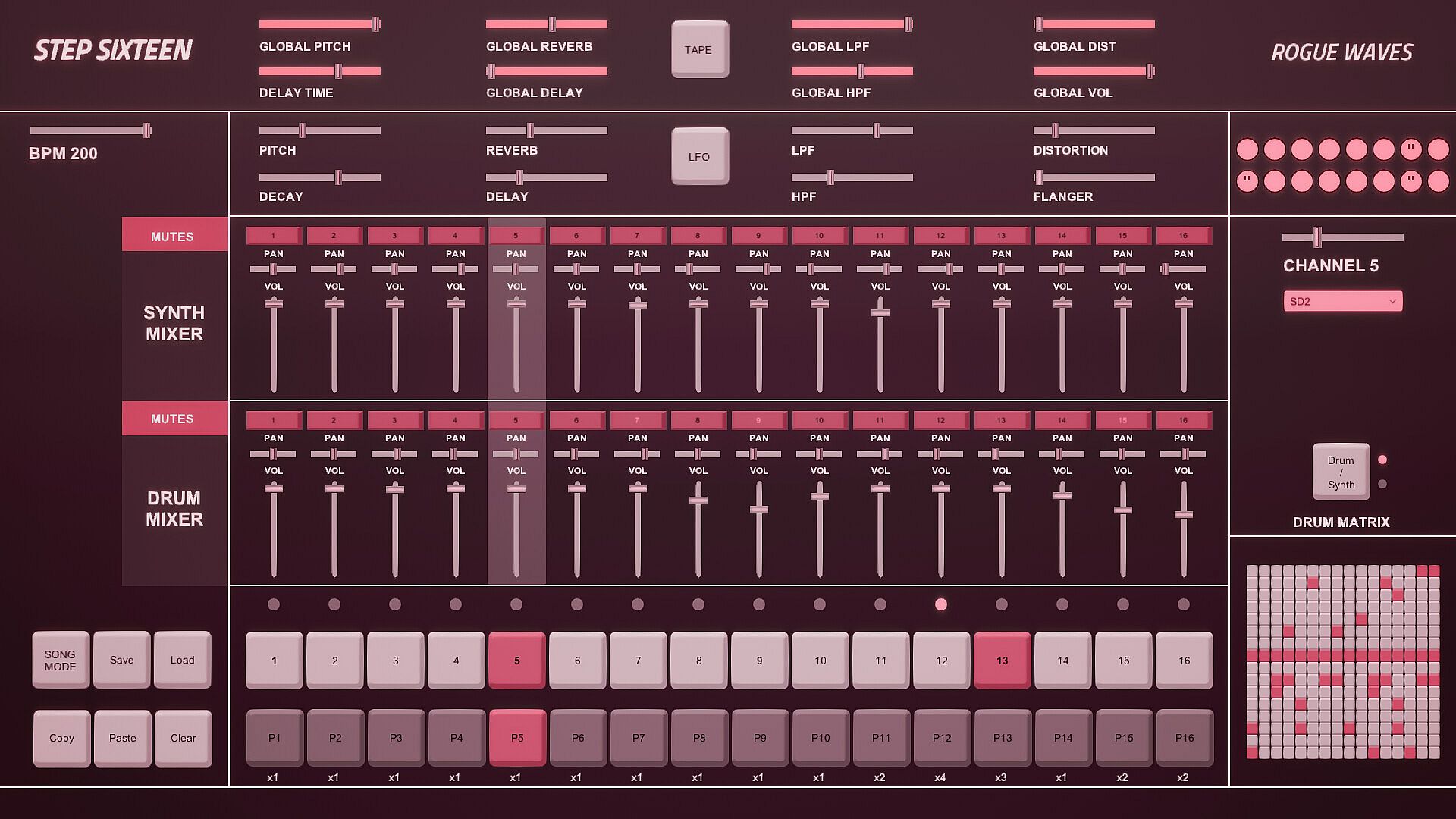
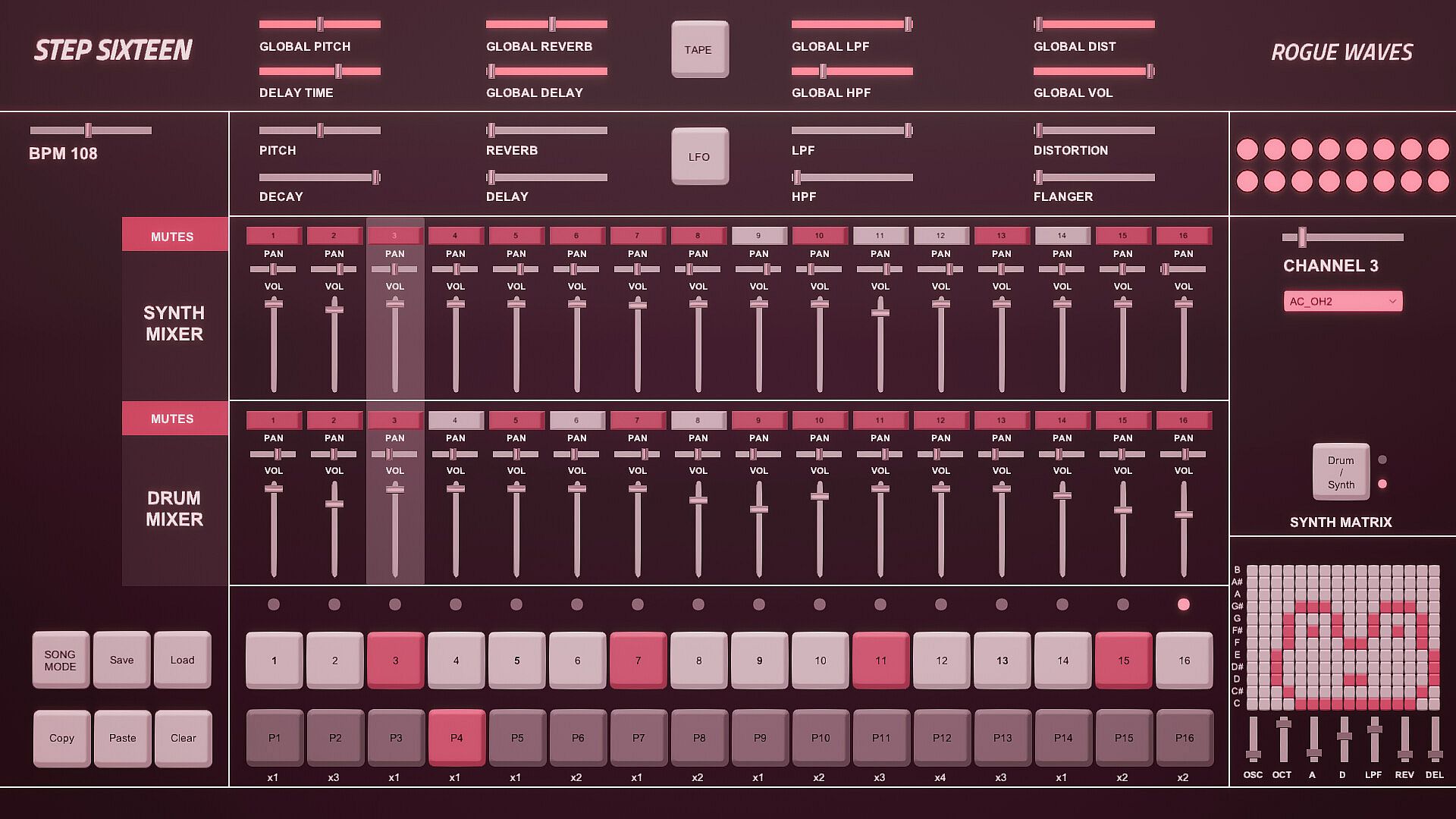
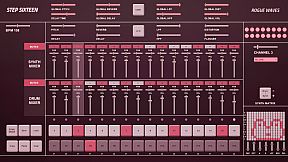
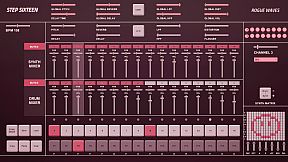
Step Sixteen delivers everything needed to craft electronic music beats, melodies, and full songs on PC. Fire up drum channels for rhythms or switch to the synth matrix for bass lines, arpeggios, chords, and more. Chain patterns in Song Mode, tweak repeats, and sequence them with simple mouse clicks on step buttons, sliders, and patch menus featuring 27 electronic and acoustic percussive sounds. Global sliders adjust pitch, delay, reverb, filters, distortion, and volume across all 16 channels, while per-channel controls add decay and flanger. FX buttons trigger tape stops or LFO pitch randomization, and mixers handle mutes, pan, and levels for drums and synths separately. Drum dancers visualize rhythms as the BPM slider sets the pace-perfect for indie audio production enthusiasts eager to build tracks fast with keyboard shortcuts like spacebar play and pattern copy-paste.

All you need to get started making electronic music - with Step Sixteen you can create your own beats, melodies or songs in no time. Use the drum channels to create wild rhythms or the synth matrix to create bass lines, arpeggios, chords or melodies.

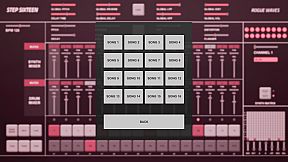
Chain patterns together and sequence them in Song Mode to create full songs.

Keyboard Controls

Press Spacebar to start or stop the sequencer.
Press Enter to Access the Main Menu.
Mouse Controls

Use the mouse to click buttons, patch dropdown menus, pattern repeat numbers and to change slider values. [NOTE: Click read more below for more details]


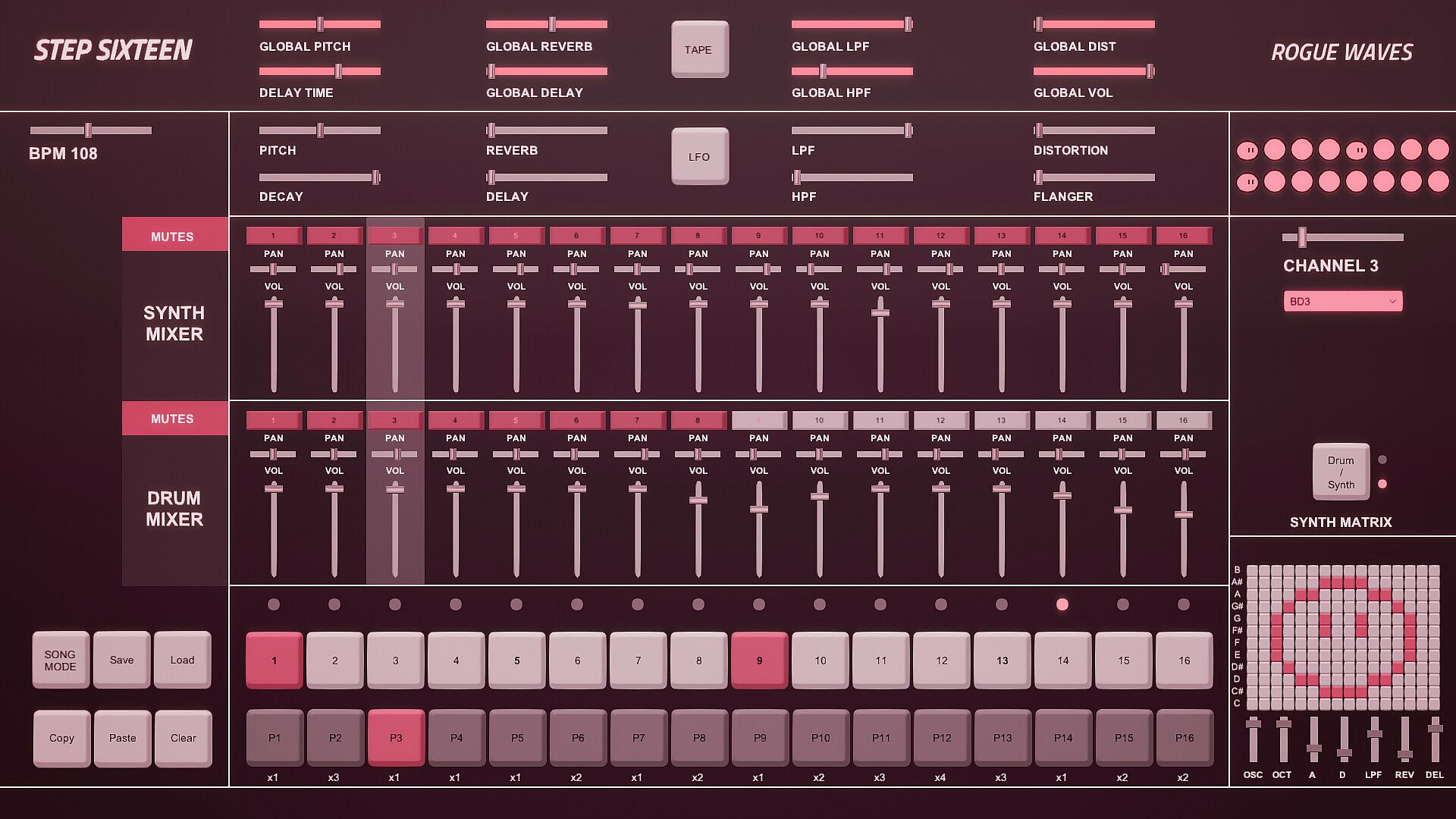
1. Step Indicator LEDs [1-16]
Displays the current step of the sequence when the sequencer is running. Press spacebar to start the sequencer.
[Note] Clicking a step indicator will copy its step button value, click another step indicator to paste the step.
2. Step Buttons [1- 16]
These are used to trigger the drum sounds. Click to turn a step on/off. Each channel has its own 16 step buttons.
3. Pattern Buttons [1-16]
These are used to select a pattern. When in Song Mode patterns will be played back in order.
[Note] In Song Mode pattern changes are quantised to occur at the end of the bar.
4. User Buttons.
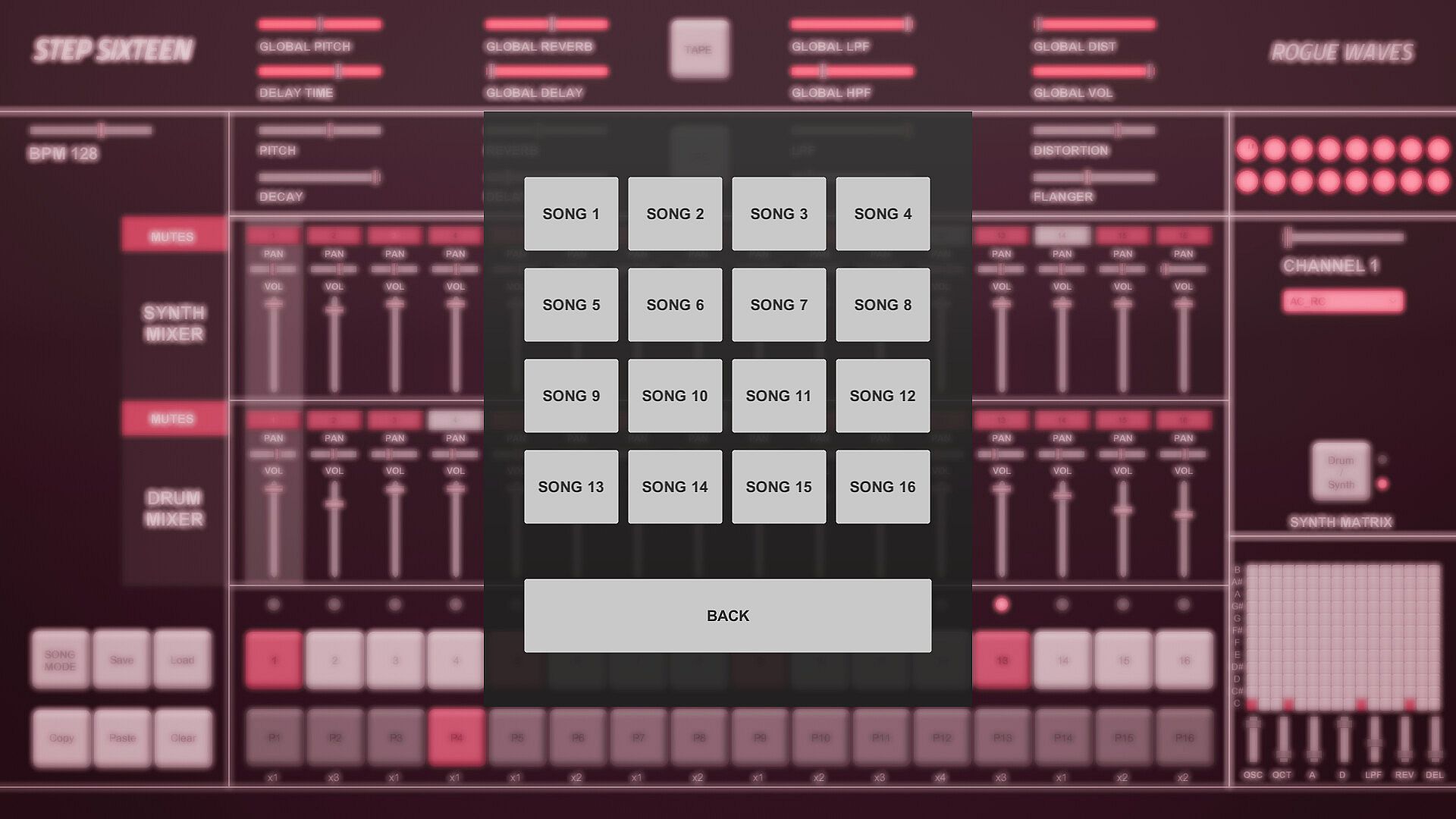
The Song Mode Button enables patterns to be played back sequentially.
The Save Button allows the user to save changes to the current song
The Load button allows the user to load what was saved.
The Copy Button allows the user to copy the currently selected pattern
The Paste Button enables the user to paste a copied pattern to another pattern.
The Clear Button clears the currently selected pattern.
[Note] Saving also automatically occurs when the program is closed.
5. Pattern Repeats.
When in Song Mode these determine how many times a pattern will repeat before progressing to the next pattern.
Repeat can be set to x1 (plays once), x2, x3 or x4.
Click on a repeat number to increment its value.
6. Matrix Section.
If the current matrix is set to Drum Matrix the user can input steps across all drum channels without having to change channels.
Channels are displayed on the vertical axis while steps are represented on the horizontal axis.
If the current matrix is set to Synth Matrix the user can input steps on the currently selected synth channels.
Notes/pitch are displayed on the vertical axis while steps are represented on the horizontal axis.
7. Matrix Switch.
Toggles between the Drum and Synth Matrix. An LED is also used to indicate which matrix is displayed.

8. Patch Drop Down Menu.
Click this menu to select the sound/patch for the currently selected Channel.
There are 27 sounds to choose from spanning a variety of electronic and acoustic percussive sounds.
[Note] The same sound/patch can be loaded on multiple channels.

9. Channel Selection Slider.
Use this slider to select the active channel.
The active channel is displayed in the text below and is also highlighted in the mixer section.
There are 16 channels to choose from.
10. Drum Dancers [1-16].
Each drum channel has a dancer that will dance according to the rhythm programmed on that channel.
11. FX Buttons.
The Tape FX Button performs a classic tape stop effect. toggle it off to resume playback.
The LFO FX Button randomises the pitch of all steps.
12. Global Sliders.
These parameters are applied across all channels.
There are global controls for Pitch, Delay Time, Reverb, Delay, LPF (Low Pass Filter), HPF (High Pass Filter), Distortion and Volume.
13. BPM Slider.
Used to set the BPM (beats per minute). This determines how fast/slow the sequencer plays back.
14. Channel Sliders.
These parameters are used to shape the current channel's sound.
There are controls for Pitch, Decay, Reverb, Delay, LPF (Low Pass Filter), HPF (High Pass Filter), Distortion and Flanger.
15. Synth Mixer Mutes [1-16].
These are used to mute/unmute synth channels 1-16.
Each mute button’s channel number will be lit when a sound is triggered on its channel.

16. Synth Mixer Pan.
Used to set the speaker panning for synth channels 1-16.
17. Synth Mixer Volume.
Used to set the volume level for synth channels 1-16.
18. Drum Mixer Mutes [1-16].
These are used to mute/unmute drum channels 1-16.
Each mute button’s channel number will be lit when a sound is triggered on its channel.

19. Drum Mixer Pan.
Used to set the speaker panning for drum channels 1-16.
20. Drum Mixer Volume.
Used to set the volume level for drum channels 1-16.
Interface:
English

Classificação etária

Indisponível
Steam:
Overwhelmingly Negative (3)

Mínimo:

  • SO: Windows 10
  • Processador: 2.9 GHz Quad-Core Intel Core i5
  • Memória: 8 GB RAM
  • Gráficos: NVIDIA GeForce GTX 660M 512 MB
  • Armazenamento: 153 MB available space

Recomendado:

Mínimo histórico
Histórico de preços das lojas oficiais
R$ 13,59
Steam
há 5 meses
Histórico de preços dos keyshops
-
-
-

FAQ

8 perguntas

Antes de procurar uma chave PC barata de Step Sixteen, confira o essencial. Desenvolvido por Rogue Waves. Publicado por Rogue Waves. Data de lançamento PC: 31 mai. 2023. Géneros: Indie, Audio Production.

Q

Onde comprar uma chave Steam ou CD Key barata de Step Sixteen?

Não existem ofertas ativas para Step Sixteen de momento. Defina um alerta de preço no XD.deals e avisaremos assim que uma oferta estiver disponível.

Não temos um preço atual do Steam Store para Step Sixteen. O jogo pode estar temporariamente indisponível ou ainda não listado no Steam.

O nosso rastreador de preços abrange tanto lojas oficiais como keyshops, para que possa encontrar Step Sixteen em promoção mesmo fora das campanhas sazonais. Detetamos atualmente 0 ofertas ativas de lojas oficiais e keyshops. Consulte a tabela acima, compare com o mínimo histórico e defina um alerta para nunca perder a próxima descida de preço.

Com base nos nossos dados, Step Sixteen não está atualmente disponível no GeForce NOW. Precisará de o executar localmente no seu PC. Consulte os jogos disponíveis no GeForce NOW.

Sim. Step Sixteen tem uma página oficial no Steam, mas atualmente não temos ofertas de terceiros com DRM Steam. Volte mais tarde ou defina um alerta de preço.

Não neste momento. A Valve marca Step Sixteen como Não Suportado no Steam Deck. Fique atento ao XD.deals - acompanhamos atualizações do Proton e correções da comunidade. Consulte os jogos Steam Deck Verified ou Steam Deck Playable.

Segundo os nossos dados, Step Sixteen não está atualmente disponível no PC Game Pass, EA Play nem Ubisoft+. Ainda estamos a completar os catálogos destes serviços, por isso compensa confirmar o estado na fonte antes de decidir. Se vais comprar, o XD.deals ajuda a encontrar o preço mais baixo.

Não - o XD.deals não é uma loja. Somos um serviço de comparação de preços que acompanha as melhores ofertas de Step Sixteen em lojas oficiais e keyshops verificadas. Clique em "Ir para a loja" junto a qualquer oferta e será redirecionado para o site do vendedor para concluir a compra.

Quer comprar no melhor momento? Defina um alerta de preço no XD.deals e seja notificado quando Step Sixteen atingir o seu próximo mínimo histórico.

Criar Alerta
Junte-se ao nosso Discord
Obtenha ajuda instantânea da nossa comunidade e mantenha-se atualizado sobre as últimas ofertas
Definir Alertas de Preço
Seja notificado por email quando os preços dos jogos baixarem para o seu objetivo
Criar Conta Gratuita
Desbloqueie listas de desejos, alertas de preço e sincronização Steam