

in progress...

Buy Moonchild - Super Savefiles PC

This content requires the base game: Moonchild

Interested in Moonchild - Super Savefiles? We're tracking prices from trusted stores. Add Moonchild - Super Savefiles to your wishlist and we'll notify you when deals become available.

Release: 22 Apr 2016
Metacritic:
tbd tbd
Steam:
Overwhelmingly Negative (4)
Official
Unavailable
Keyshops
Unavailable
Buy in Official Store:
Unavailable
Buy in Keyshops:
Unavailable

No entries, but don''t worry, we will inform you once the new offer appears.

Create Alert Create deal Alert

About Moonchild - Super Savefiles

Moonchild - Super Savefiles - about the game

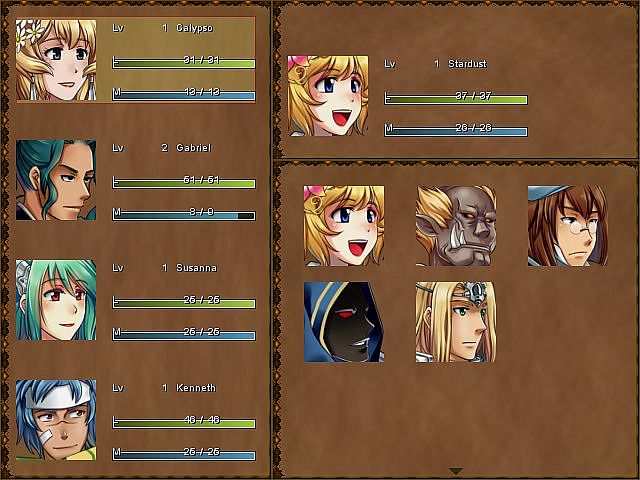
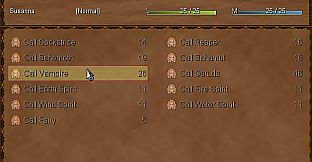
Boost your RPG adventure in Moonchild with the Super Save Files pack on PC. These three savefiles jumpstart gameplay: one puts Queen Calypso and Gabriel at level 20 with extra gold, another unlocks every character in your party from the start, and the third ramps up to Hard Mode with all party members plus Susanna's full summoning abilities as the Caller leader. Locate your game's folder through Steam's Properties menu or directly at C:\Program Files (x86)\Steam\steamapps\common, then copy the .rxdata files to C:\Users\[Your Name]\AppData\Roaming\Moonchild_Saves. Overwrite unused slots or rename to fit free ones, and skip any achievement warnings. Casual RPG fans who want quick access to full parties and powered-up starts will power through challenges faster.

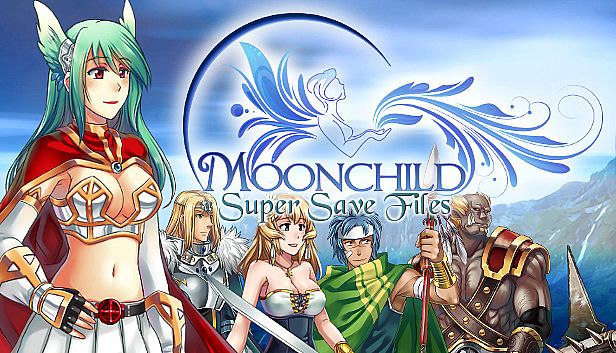
The SSF (Super Save Files) pack features 3 amazing savefiles for the RPG Moonchild to boost your adventure!
Calypso Super Queen (Save3.rxdata)
Have Queen Calypso and Gabriel start at Lv20 and with a boost in gold.
We are an Army (Save4.rxdata)
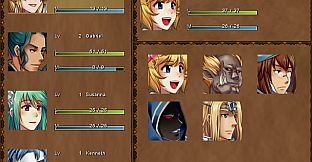
Start the game with ALL the characters in your party, including hidden ones.
We are an Army and Susanna is our Leader (Save5.rxdata)
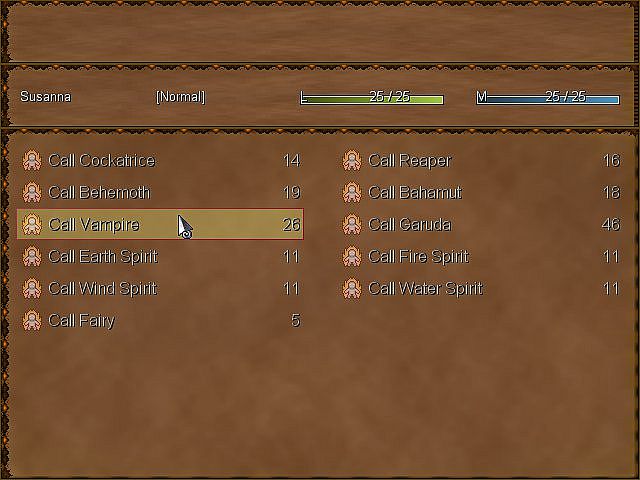
Play the game in Hard Mode with ALL the characters in your party, and your Caller Susanna also has all her summonings from the beginning.
How to find the super save files

From your computer, go to:
C:\Program Files (x86)\Steam\steamapps\common
Then select the game folder.

Or directly from the Steam Client, first right-click on the game, then select:
Properties > Local Files > Browse Local Files
EXAMPLE

How to use the super save files
Copy/paste any of the provided savefile to:
C:\Users[Your Name]\AppData\Roaming\Moonchild_Saves

If asked to overwrite, either make sure the savefile you're going to replace with the new
one is not an important one, or else change the number of your savefile to a free one.

If you receive a warning message about achievements, ignore it.
Metacritic:
tbd tbd
Steam:
Overwhelmingly Negative (4)
Historical low
Price history from official stores
-
-
-
Price history from keyshops
-
-
-
Join our Discord
Get instant help from our community and stay updated on the latest deals
Set Price Alerts
Get notified by email when game prices drop to your target
Create Free Account
Unlock wishlists, price alerts, and Steam sync

FAQ

8 questions

Before you start looking for a cheap Moonchild - Super Savefiles CD Key, take a moment to check the essentials. Developed by Aldorlea Games. Published by Aldorlea Games. PC released date: 22 Apr 2016. Genres: Indie, RPG, Casual, Adventure. Categories: Family Sharing, Steam Trading Cards, Single-player, Downloadable Content, Steam Achievements, Full controller support, Steam Cloud.

Q Can I play Moonchild - Super Savefiles on Steam Deck?

No, not right now. Valve marks Moonchild - Super Savefiles as Steam Deck Unsupported, so it won't launch via Proton at this time. Keep an eye on XD.deals - we track Proton breakthroughs and community fixes, and we'll flag it the moment there's a working way to play Moonchild - Super Savefiles on Steam Deck.

Yes. A Moonchild - Super Savefiles Steam version exists. Pick any offer tagged Steam Key on XD.deals, redeem it in the desktop client, and play Moonchild - Super Savefiles on Steam PC.

Yes. Once your Steam key is redeemed, you can launch Moonchild - Super Savefiles in Offline Mode via Steam. Your save files will sync the next time you go online.

Yes, you can buy a Moonchild - Super Savefiles Steam Key directly on the Steam Store. At XD.deals, we aggregate all available Steam DRM offers so you can compare cheap Moonchild - Super Savefiles steam deals in one place.

At the moment we don't have any live offers for Moonchild - Super Savefiles - both official stores ({1}) and keyshops ({2}) show the game as sold out or temporarily unavailable…

With XD.deals, PC gamers can instantly see where to buy a cheap Moonchild - Super Savefiles PC Steam key. Our real-time price-comparison engine and curated coupon database track every official store and trusted keyshop so you dont have to. Right now we detect this game in {1} live offers from stores and keyshops.

Not yet. There's no Moonchild - Super Savefiles Steam listing right now, so you can't buy Moonchild - Super Savefiles on Steam today. Instead, browse the other Moonchild - Super Savefiles offers on XD.deals - official stores and keyshops often provide DRM-free or launcher-key versions you can play while waiting for a future Steam release.

No - XD.deals itself isn't a store. We're a price-comparison service that tracks the best offers for Moonchild - Super Savefiles across official stores and verified keyshops. Click "Shop Now" next to the deal you want, and you'll be redirected to the retailer's website to complete your purchase and receive the key there.

Ready to ride? Set a price alert on XD Deals and grab a discounted Moonchild - Super Savefiles Steam key the moment it reaches its next historical low.

Create Alert