
Comprar Planet X3 (DOS) PC Key

Onde comprar Planet X3 (DOS) ao melhor preço? Em 27 ago. 2026 este título tem uma oferta, R$ 32,99 na Steam. No PC é o caso habitual, porque só cerca de um título em cada quatro consegue oferta em keyshop e o resto fica na loja da plataforma. Não há nada a comparar, mas seguimos este preço todos os dias e mostramos como fica face às leituras anteriores, e um alerta de preço avisa-te de cada descida. No PC compras uma chave que ativas na Steam ou noutro cliente, e é aqui que o mercado é mais largo, com mais de um quarto dos jogos a ter oferta em keyshop.

Lançamento: 14 jul. 2023
NMSE & Co LLC
8-Bit Productions, LLC
Steam:
Overwhelmingly Negative (5)
Keyshops
Indisponível
Comprar em Loja Oficial:
R$ 32,99
Comprar em Keyshops:
Ver histórico de preços

Lojas Oficiais (1)

DRM:
Steam
Steam
Steam
Planet X3 (DOS)
Windows
+1
há 1a
DRM:
Steam
Steam
R$ 32,99

Sobre Planet X3 (DOS)

Planet X3 (DOS) - sobre o jogo
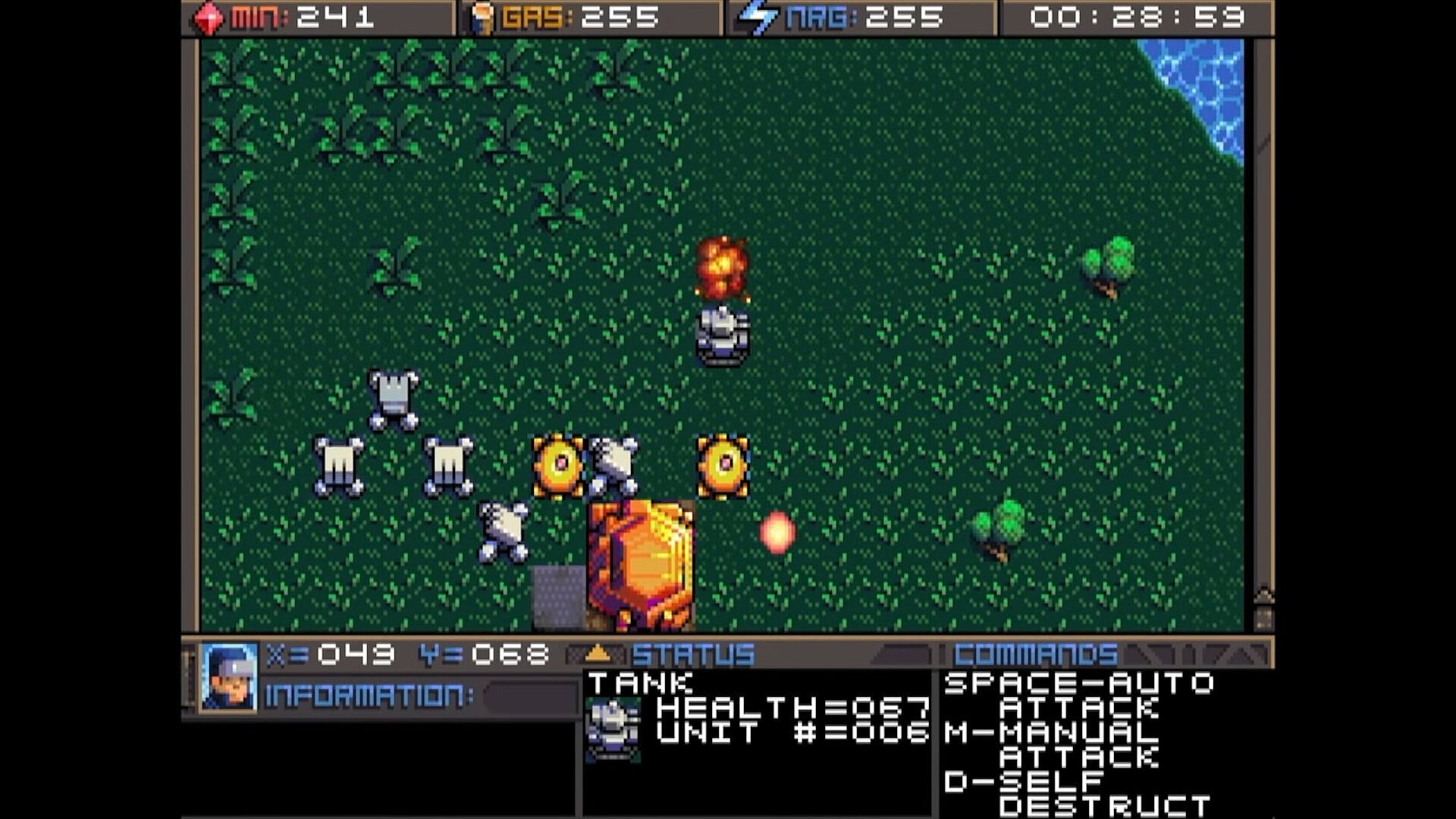
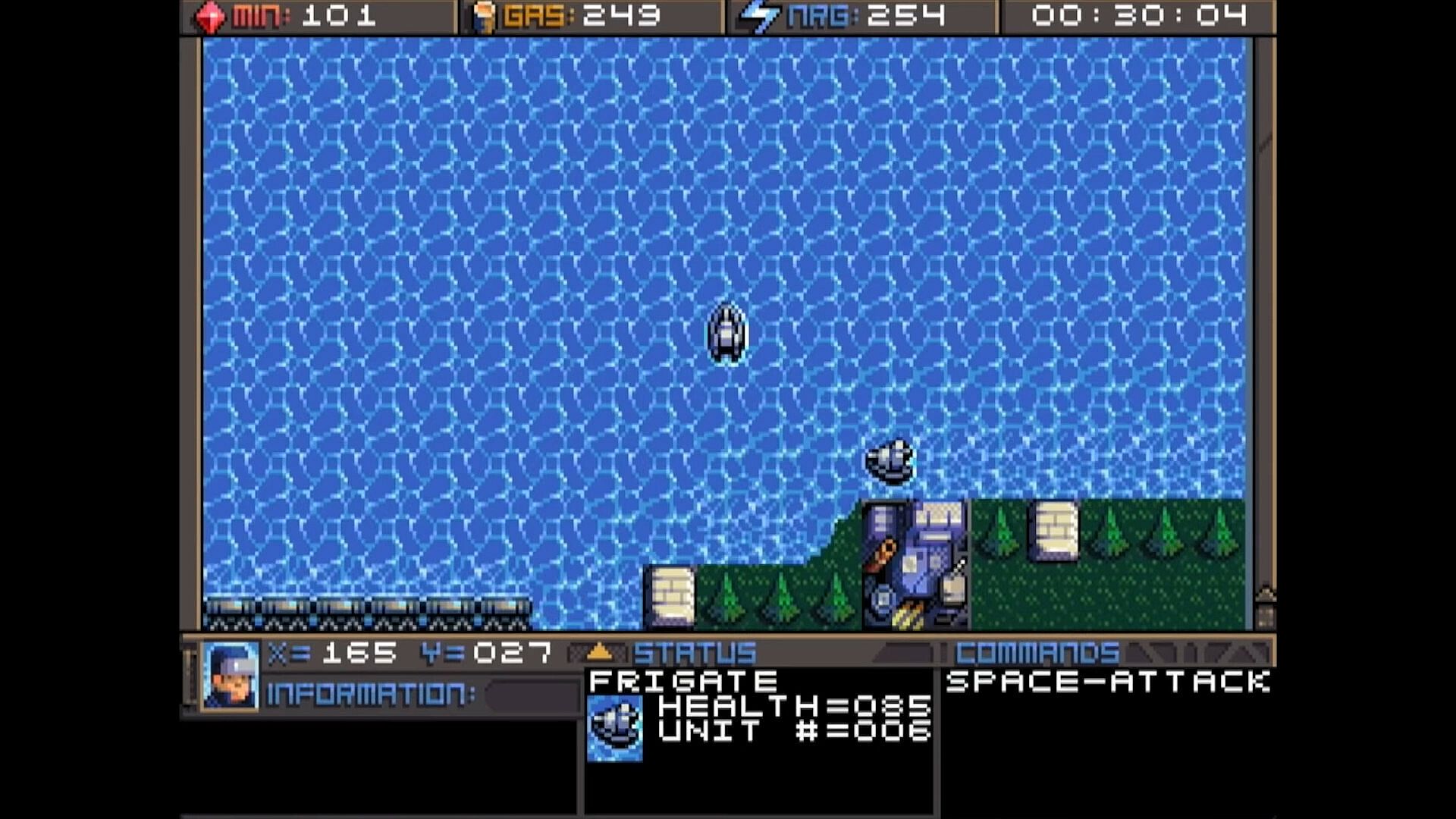
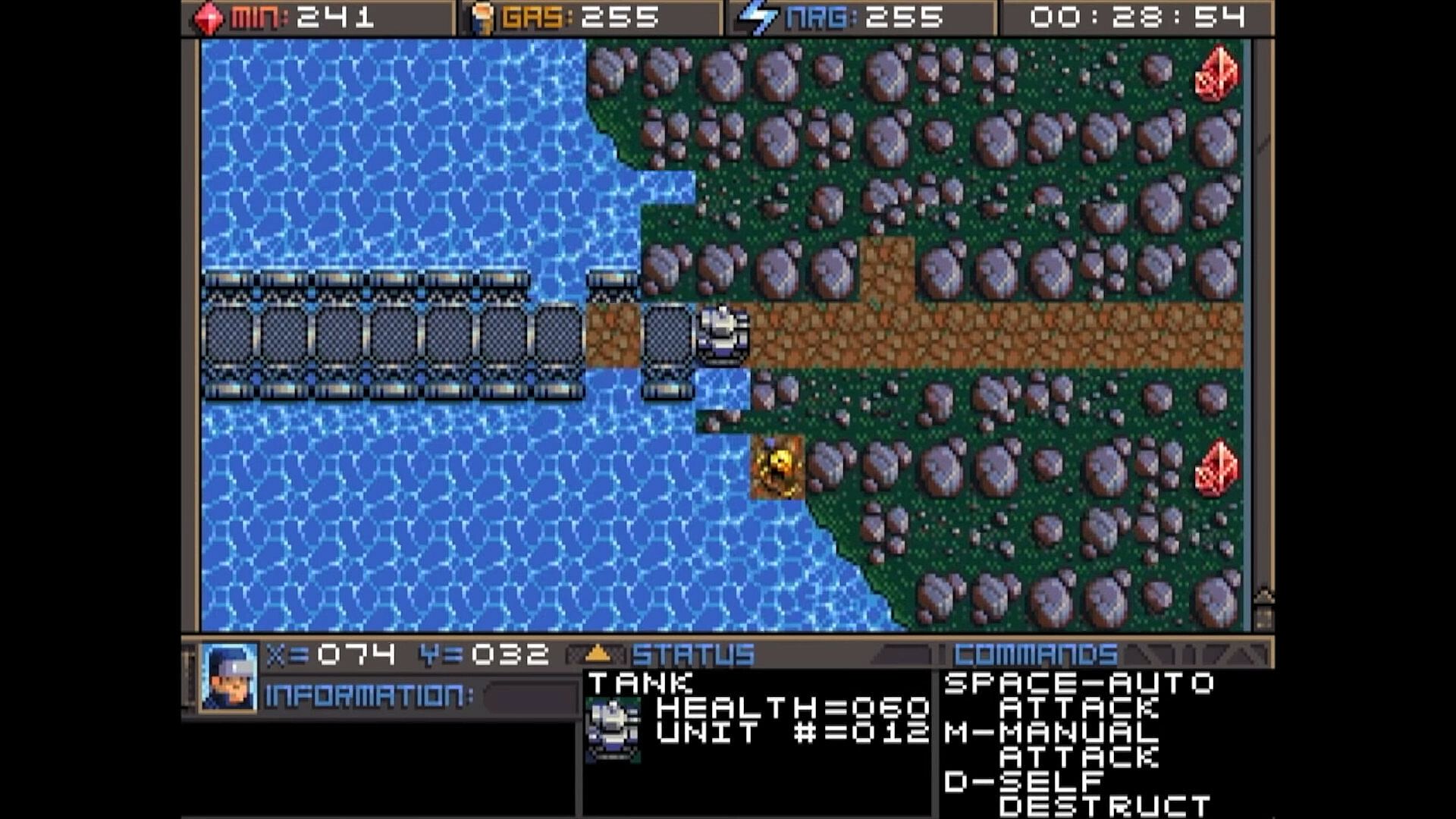
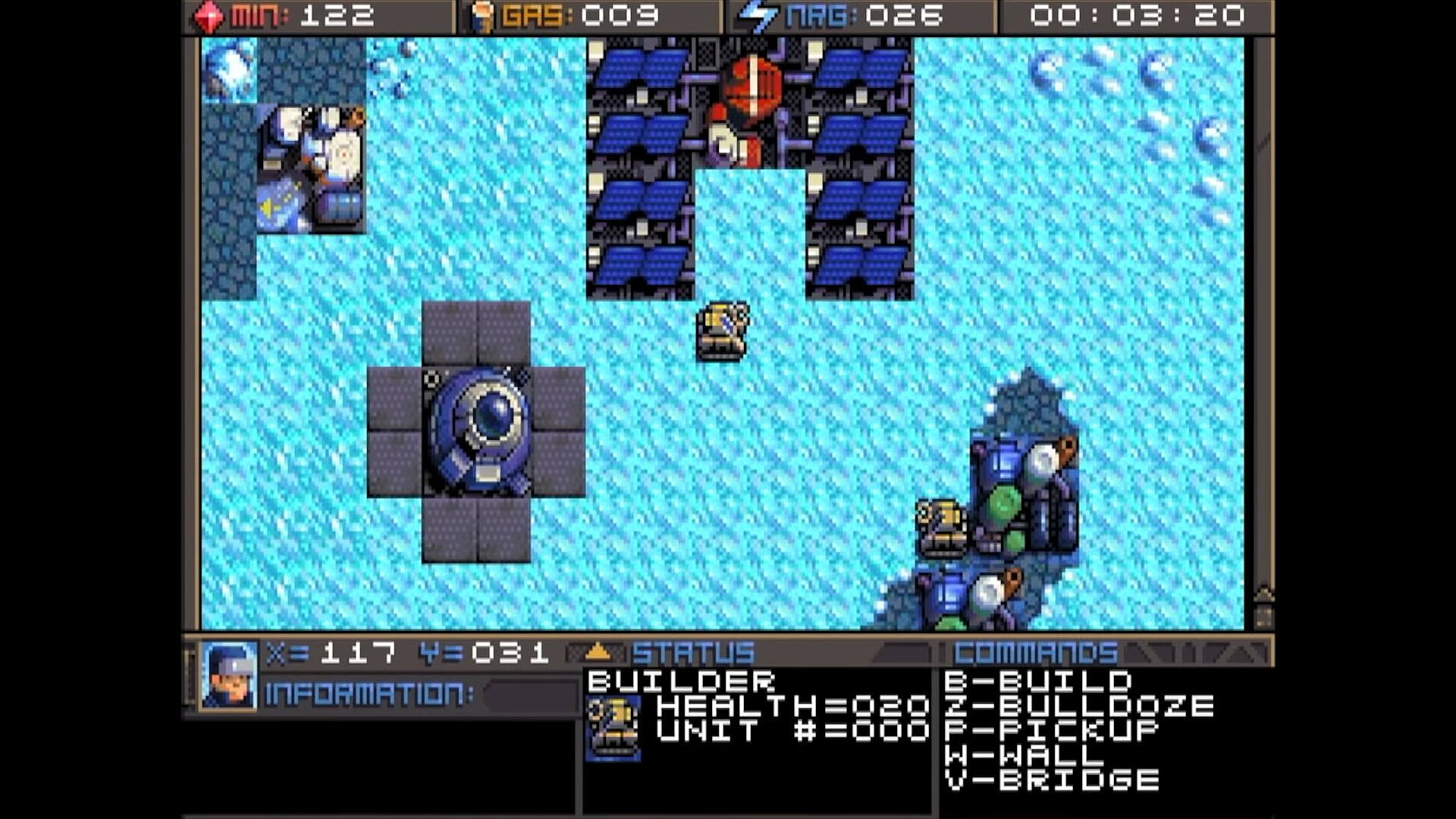
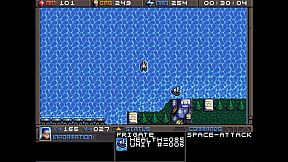
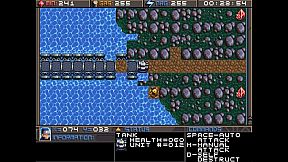
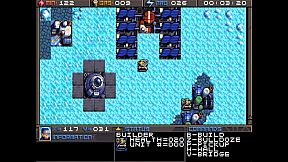
Command units and manage resources in this classic DOS strategy game. Track minerals, gas, and energy in on-screen boxes, capped at 255 each, while monitoring coordinates and a running game clock. Hunt map deposits like rock formations, crystals, and volcano-like gas vents to sustain your operations. Switch between dozens of units and buildings using browse mode with arrow keys and Return, Tab to cycle mobile units like tanks and frigates, Page Up/Down or brackets for structures like factories and smelters, or assign hotkeys with Shift plus numbers for quick access. Build refineries on gas vents and mine varied rock types with different yields and speeds. Strategy players master these controls to juggle infrastructure and unit commands efficiently.

HOW TO PLAY
Although there are many other keys to learn, these are the main keys you need to
operate the game. Some keys do the exact same thing, such as the bracket keys or
page up/page down keys. This will mostly be your preference, and possibly what sort
of keyboard your computer has.


At the top of the screen you’ll find three boxes displaying your current resources, which
include minerals, gas, and energy. You will need to collect more of these, which we’ll
get into later. 255 is the maximum number of resources you can store at any given
time. Next to the resources is a running clock showing how long the game has been


going. On the bottom you’ll find your current coordinates. This is very important for
knowing where your units are, especially in relation to the enemy bases. More on this
later. The bottom three windows are there to give you different types of information.
SWITCHING BETWEEN UNITS

In this game, you will be controlling dozens of different units, so it’s important to
know how to switch between them. There is more than one way to accomplish it, and
you should learn all of the ways.

Browse - If the unit you want to control is visible on the screen, you can press Return
to enter browse mode. At this point, a small box-like cursor will appear on the screen.
Use the arrow keys to move this box around until it is positioned on the unit or
building you wish to select, then press Return again. You can even select enemy units,
but you can only look at their status, not control them.

Cycle Units - For things like tanks, builders, and frigates. If the unit you want is not
currently visible and you don’t feel like driving to the unit, you can press the Tab
key to cycle to the next unit, wherever it may be. The cycle is based on unit number,
so sometimes it may seem there is no rhyme or reason as to which unit it goes to
next. You can also use the plus and minus keys on the keyboard to move forward and
backwards through your units. With practice, this is the fastest way to switch between
units.

Cycle Buildings - For things like factories, smelters, and radar stations. If the building
you want is not currently visible, you may press Page-up / Page-down to cycle back
and forth between them, very much like the unit cycle. You can also use the bracket
keys [ and ] to accomplish the same thing. Solar panels are purposely skipped during
the cycle because there are often numerous panels and you can’t actually control
them anyway. If you want to select a solar panel you must use the browse feature.

Hot Keys - You can use the number row 0-9 at the top of your keyboard to assign spe-
cific units or buildings that you need to access more quickly. Press Shift + Number to
assign a number key to the current unit. You can then use that number key to quickly
switch to the assigned unit. This will be especially useful during battles.
CONTROLLING UNITS
Your first order of business after starting the game should be establishing infrastructure and collecting resources.
Without them, you won’t be able to do much.
You’ll need all 3 types of resources: Minerals, Gas, and Energy.
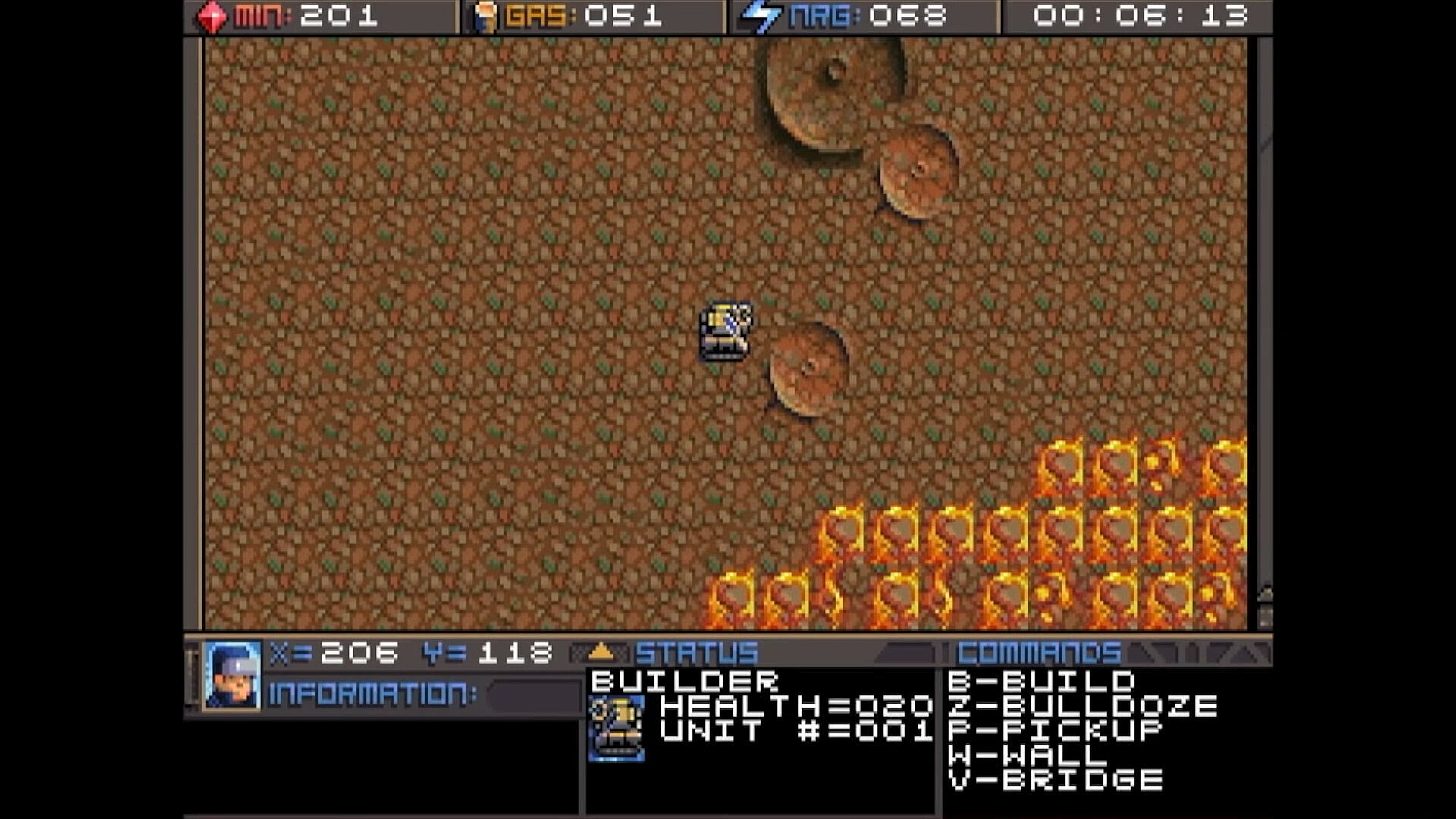
It may require some hunting around the map to
find the minerals and gas, so we’ll talk about
those first. You can find these on the map.
There are usually deposits of minerals
clumped together. Some maps have a
lot, and some have very few, so use them
wisely. In this screenshot, you can see
several rocks and crystals in a formation.
Both the rocks and crystals can be used
as mineral sources. The formations that
look like volcanos are gas vents. You will need to build a refinery on top of them.
The more the better.

Different types of rocks will process at different speeds and also have different yields.
Also, the minerals can look somewhat different depending on which graphics mode
you are in. This chart shows each one and how many minerals you can expect to get
as a result of mining each kind.




Different types of rocks will process at different speeds and also have different yields.
Also, the minerals can look somewhat different depending on which graphics mode
you are in. This chart shows each one and how many minerals you can expect to get
as a result of mining each kind.

Interface:
English

Classificação etária

Indisponível
Steam:
Overwhelmingly Negative (5)

Mínimo:

  • Armazenamento: 35 MB available space

Recomendado:

  • Armazenamento: 150 MB available space

Mínimo:

  • SO: macOS 10.15 (Catalina)
  • Armazenamento: 23 MB available space
  • Notas Adicionais: May support macOS 10.14 (Mojave) or older

Recomendado:

  • Armazenamento: 150 MB available space
Mínimo histórico
Histórico de preços das lojas oficiais
R$ 32,99
Steam
há 1 anos
Histórico de preços dos keyshops
-
-
-

FAQ

8 perguntas

Antes de procurar uma chave PC barata de Planet X3 (DOS), confira o essencial. Desenvolvido por 8-Bit Productions, LLC. Publicado por NMSE & Co LLC. Data de lançamento PC: 14 jul. 2023. Géneros: Strategy. Categorias: Family Sharing, Single-player.

Q

Onde comprar uma chave Steam ou CD Key barata de Planet X3 (DOS)?

Usando o nosso comparador de preços e códigos de desconto verificados, pode comprar uma chave de Planet X3 (DOS) por apenas R$ 32,99. Esta oferta está disponível na Steam e é uma das mais baratas do mercado. Todas as chaves listadas no XD.deals são entregues digitalmente e disponíveis para download imediato após o pagamento. Os preços já incluem taxas de processamento e códigos promocionais aplicados, para que veja sempre o preço mais baixo de Planet X3 (DOS) no PC. Consulte o histórico de preços de Planet X3 (DOS) para comprar no melhor momento.

De acordo com a nossa última atualização (atualizamos os preços do Steam várias vezes ao dia), o preço de Planet X3 (DOS) no Steam é R$ 32,99. Pode poupar cerca de 6% extra pagando com um cartão presente Steam com desconto.

O nosso rastreador de preços abrange tanto lojas oficiais como keyshops, para que possa encontrar Planet X3 (DOS) em promoção mesmo fora das campanhas sazonais. Detetamos atualmente 1 oferta ativa de lojas oficiais e keyshops. Consulte a tabela acima, compare com o mínimo histórico e defina um alerta para nunca perder a próxima descida de preço.

Com base nos nossos dados, Planet X3 (DOS) não está atualmente disponível no GeForce NOW. Precisará de o executar localmente no seu PC. Consulte os jogos disponíveis no GeForce NOW.

Sim. Planet X3 (DOS) tem uma página oficial no Steam. Também pode comprar uma chave Steam de Planet X3 (DOS) em vendedores terceiros. O nosso comparador inclui atualmente 1 oferta com DRM Steam. Escolha uma para garantir que o download de Planet X3 (DOS) acontece na plataforma da Valve.

Não neste momento. A Valve marca Planet X3 (DOS) como Não Suportado no Steam Deck. Fique atento ao XD.deals - acompanhamos atualizações do Proton e correções da comunidade. Consulte os jogos Steam Deck Verified ou Steam Deck Playable.

Segundo os nossos dados, Planet X3 (DOS) não está atualmente disponível no PC Game Pass, EA Play nem Ubisoft+. Ainda estamos a completar os catálogos destes serviços, por isso compensa confirmar o estado na fonte antes de decidir. Se vais comprar, o XD.deals ajuda a encontrar o preço mais baixo.

Não - o XD.deals não é uma loja. Somos um serviço de comparação de preços que acompanha as melhores ofertas de Planet X3 (DOS) em lojas oficiais e keyshops verificadas. Clique em "Ir para a loja" junto a qualquer oferta e será redirecionado para o site do vendedor para concluir a compra.

Melhores preços para Planet X3 (DOS)

1 Steam Steam Official
R$ 32,99

Quer comprar no melhor momento? Defina um alerta de preço no XD.deals e seja notificado quando Planet X3 (DOS) atingir o seu próximo mínimo histórico.

Criar Alerta
Junte-se ao nosso Discord
Obtenha ajuda instantânea da nossa comunidade e mantenha-se atualizado sobre as últimas ofertas
Definir Alertas de Preço
Seja notificado por email quando os preços dos jogos baixarem para o seu objetivo
Criar Conta Gratuita
Desbloqueie listas de desejos, alertas de preço e sincronização Steam