



in progress...

RPG Maker MV - Menu Builder PC kaufen

Dieser Inhalt erfordert das Hauptspiel: RPG Maker MV

Interessiert an RPG Maker MV - Menu Builder? Wir tracken Preise von vertrauenswürdigen Shops. Füge RPG Maker MV - Menu Builder zu deiner Wunschliste hinzu und wir benachrichtigen dich, sobald Angebote verfügbar sind.

Veröffentlichung: 09 Okt. 2024
Entwickler: Gotcha Gotcha Games
RPG
Metacritic:
tbd 6.3
Steam:
Overwhelmingly Negative (3)
Official
Nicht verfügbar
Keyshops
Nicht verfügbar
Im offiziellen Store kaufen:
Nicht verfügbar
Im Keyshop kaufen:
Nicht verfügbar

Noch keine Angebote. Wir informieren dich, sobald neue Preise verfügbar sind.

Create Alert Create deal Alert

Über RPG Maker MV - Menu Builder

RPG Maker MV - Menu Builder - Spielbeschreibung

*Tutorial videos are now available (more to come). Please see “View the manual”.

・Allows for basic menu building and linking to other scenes

・Can execute script calls AND events

・Can setup backgrounds and foregrounds

・Can setup touch buttons

・Can modify UI according to needs

Custom menus must be setup in the plugin parameters prior to calling them in game.

For each menu, you MUST/ARE REQUIRED TO setup the selection window as that will hold the selectable options for the menu scene.

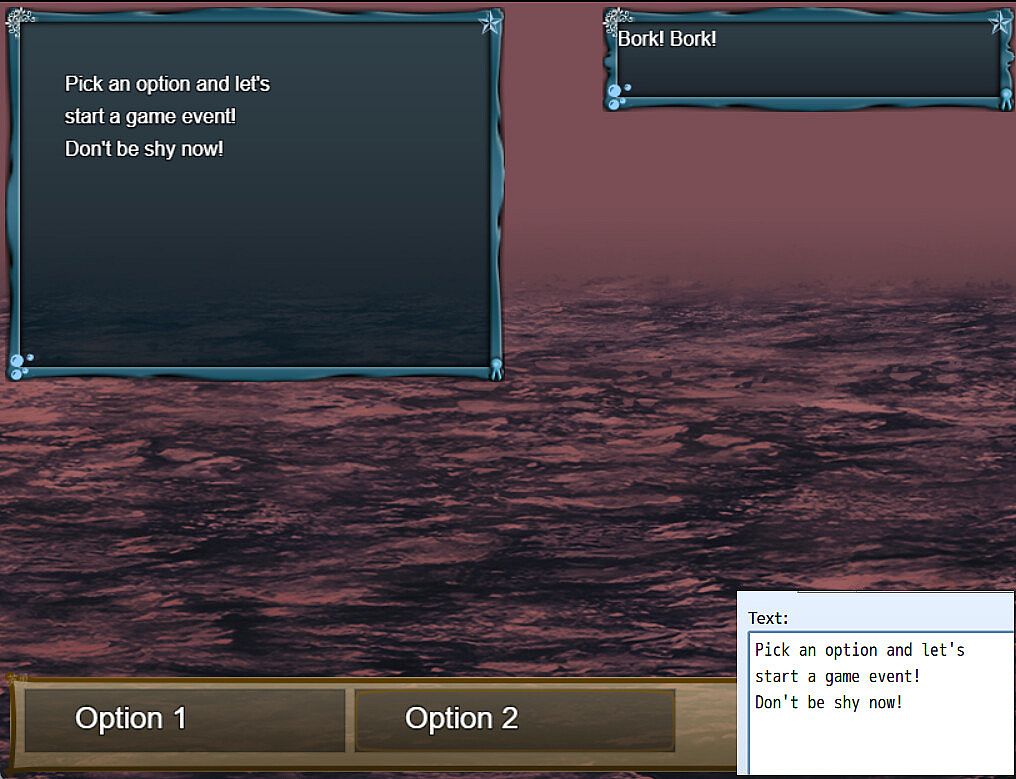
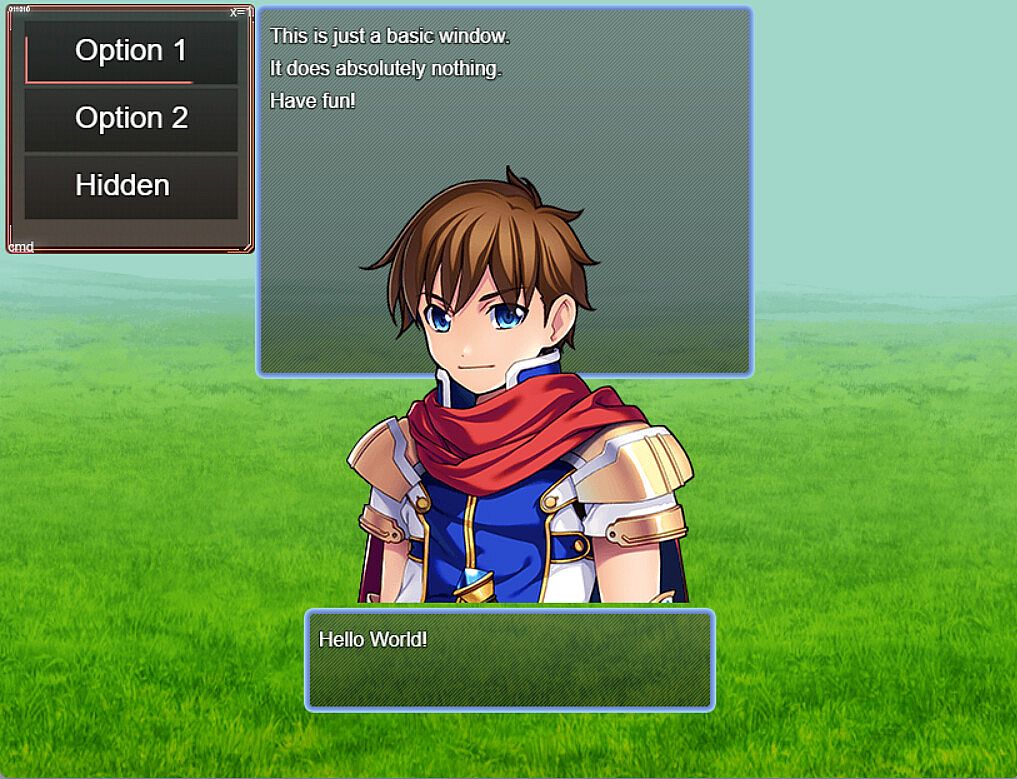
From above, screenshot from demo, you can see that you only need to setup the selection window and basic window if you want to permanently display information on the scene.

Setup the dimension configuration to control the size and position of the selection window and the Window Font and Style for the font settings and window skin/opacity.

Item Width/Height will control the selection box size and max columns will determine the number of selections aligned on horizontal axis.

The important thing here is the selection options

You can setup requirements to display or even select the menu option based on:

・Variables

・Switches

・Items

・Weapons (Not equipped)

・Armors (Not equipped)

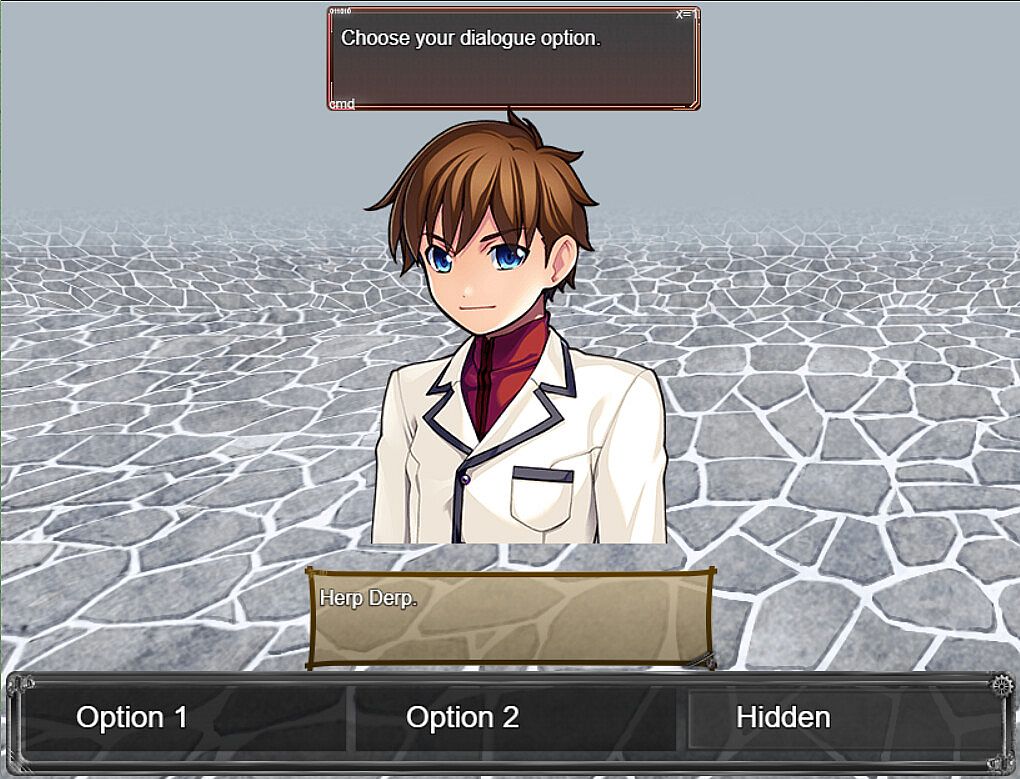
Static add a graphic over the scene backgrounds when the option is selected and animated graphic will change the graphic on scene to use the set data.

Pictures are stored  images which can be drawn based on window settings.

You can setup a scene button which when mouse over will force select the option and when clicked will execute the code in the "Code Execution" parameter.

------------

Patch note:2025/5/27

New: Script call added to help reset the game data

New: Add script calls to the plugin help

New: Added parameter to set update codes. These are run every frame on the menu scene.

Patch note:2025/3/19

Adjustment: Changed directory of videos folder to movies due to RPG Maker v1.9.0 update.

Demo: Fixed issues with prior set debug menus

Patch note:2025/2/3

Fixed: Fixed an issue where the option name and alternative name were not being displayed in the data window.

Patch note:2024/11/25

Fix: For MV, the sprite destroy function does not remove the sprite. I have removed the function entirely.

New: Set video to play when a menu option is selected. This video is played below the video layer

New: Set videos to play on scene using script calls as defined in the plugin help

New: Set script calls to execute on opening the menu scene

New: Override scenes, in the demo, the default menu scene is replaced with the debug menu.

Patch note:2024/10/28

Fix: Changed data source from weapons to items for item requirements.

------------

・This pack is for use in RPG Maker Series or the engine of your choice.

・OK to be used in Commercial projects made in RPG Maker

・You may modify some of the assets (but not redistribute them) for your own game use only.

Metacritic:
tbd 6.3
Steam:
Overwhelmingly Negative (3)

Preisverlauf

Historical low
Keyshops
-
-
-
Official Stores
-
-
-

FAQ

8 Fragen

Bevor du nach einem günstigen RPG Maker MV - Menu Builder CD Key suchst, wirf einen Blick auf die wichtigsten Fakten. Entwickelt von Gotcha Gotcha Games. PC Release-Datum: 09 Okt. 2024. Genres: RPG, Design & Illustration, Education, Web Publishing, Game Development. Kategorien: Steam Trading Cards, Steam Workshop, Downloadable Content, Partial Controller Support.

Q Kann ich RPG Maker MV - Menu Builder auf dem Steam Deck spielen?

Nein, derzeit nicht. Valve kennzeichnet RPG Maker MV - Menu Builder als nicht unterstützt auf dem Steam Deck. Es startet aktuell nicht über Proton. Behalte XD.deals im Blick - wir melden dir sofort, wenn ein Weg gefunden ist, RPG Maker MV - Menu Builder auf dem Steam Deck zu spielen.

Ja. Es gibt eine Steam-Version von RPG Maker MV - Menu Builder. Wähle ein Angebot mit dem Tag Steam Key auf XD.deals, aktiviere es im Steam-Client und spiele RPG Maker MV - Menu Builder auf deinem PC.

Ja. Nachdem du deinen Steam Key eingelöst hast, kannst du RPG Maker MV - Menu Builder im Offline-Modus von Steam starten. Deine Spielstände synchronisieren sich, sobald du wieder online bist.

Ja, du kannst einen RPG Maker MV - Menu Builder Steam Key direkt im Steam Store kaufen. Auf XD.deals listen wir alle verfügbaren Steam-DRM-Angebote, damit du günstige RPG Maker MV - Menu Builder Steam Deals auf einen Blick vergleichen kannst.

Momentan haben wir keine aktiven Angebote für RPG Maker MV - Menu Builder - sowohl offizielle Shops (0) als auch Keyshops (0) zeigen das Spiel als ausverkauft oder vorübergehend nicht verfügbar...

Mit XD.deals sehen PC-Spieler sofort, wo sie einen günstigen RPG Maker MV - Menu Builder PC Steam Key kaufen können. Unsere Preisvergleichs-Engine in Echtzeit und unsere kuratierte Gutscheindatenbank überwachen jeden offiziellen Shop und vertrauenswürdigen Keyshop. Aktuell erkennen wir dieses Spiel in 0 Live-Angeboten von Shops und Keyshops.

Noch nicht. Aktuell gibt es keinen RPG Maker MV - Menu Builder Steam-Eintrag, daher kannst du RPG Maker MV - Menu Builder heute nicht auf Steam kaufen. Schau dir stattdessen die anderen RPG Maker MV - Menu Builder Angebote auf XD.deals an - offizielle Shops und Keyshops bieten oft DRM‑freie oder Launcher‑Key-Versionen.

Nein - XD.deals ist kein Shop. Wir sind ein Preisvergleichs-Service, der die besten Angebote für RPG Maker MV - Menu Builder aus offiziellen Shops und verifizierten Keyshops verfolgt. Klicke 'Jetzt kaufen' neben dem gewünschten Deal, um zum Händler zu wechseln und dort den Key zu erhalten.

Bereit zum Zocken? Setze einen Preisalarm auf XD.deals und sichere dir einen reduzierten RPG Maker MV - Menu Builder Steam Key, sobald er sein nächstes Allzeit-Tief erreicht.

Create Alert