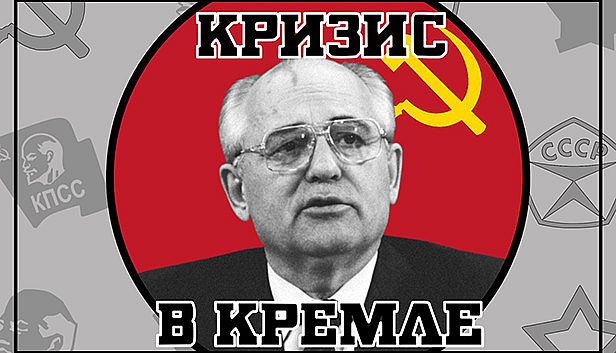
Jakie są wymagania sprzętowe Crisis in the Kremlin na PC?
Aby uruchomić Crisis in the Kremlin na PC, potrzebujesz co najmniej procesora SSE2 instruction set support oraz karty graficznej DX9 (shader model 3.0) / DX11 with feature level 9.3 capabilities. Dla najlepszych wrażeń zalecane są procesor SSE2 instruction set support i karta DX9 (shader model 3.0) / DX11 with feature level 9.3 capabilities. Gra wymaga także minimum 2 GB RAM pamięci RAM, 2 GB available space miejsca na dysku, systemu operacyjnego — oraz DirectX 9.0c. Sprawdź pełną tabelę specyfikacji powyżej i porównaj ją ze swoim sprzętem, aby upewnić się, że Crisis in the Kremlin będzie działać płynnie na Twoim komputerze.
Jaka karta graficzna jest potrzebna do Crisis in the Kremlin?
Minimalna karta graficzna wymagana do Crisis in the Kremlin to DX9 (shader model 3.0) / DX11 with feature level 9.3 capabilities. Dla optymalnej wydajności zalecana jest DX9 (shader model 3.0) / DX11 with feature level 9.3 capabilities lub lepsza.
Ile RAM-u potrzebuje Crisis in the Kremlin?
Crisis in the Kremlin wymaga co najmniej 2 GB RAM pamięci RAM. Zalecana ilość to 3 GB RAM dla najlepszych wrażeń.
Ile miejsca na dysku wymaga Crisis in the Kremlin?
Potrzebujesz co najmniej 2 GB available space wolnego miejsca na dysku, aby zainstalować Crisis in the Kremlin.
Czy mogę uruchomić Crisis in the Kremlin na Macu lub Linuxie?
Wymagania sprzętowe na tej stronie dotyczą wersji PC (Windows) gry Crisis in the Kremlin. Sprawdź oficjalną stronę sklepu w kwestii kompatybilności z Makiem lub Linuxem.
Jaki procesor jest potrzebny do Crisis in the Kremlin?
Minimalny procesor do Crisis in the Kremlin to SSE2 instruction set support. Dla lepszej wydajności zalecany jest procesor SSE2 instruction set support.