

This product is available natively in English, but it has automated translations for most major languages.
Contents: Task Handler (❖), Favorites Menu (★⧂), Favorites Menu Add File (★File+), Favorites Menu Add Ring (★Ring+), Favorites Menu Add URL (★URL+), Unlock Drag Drop Lite ( Lite)
Task Handler (❖)
The task handler controls what happens when you interact with task buttons or their flyout menus.- When single clicking a task handler button, it will bring the associated task to the foreground.
- A secondary action is available when you press and hold the task handler button and then right click anywhere on the screen. The secondary action will bring the associated task to the foreground and also center it on the cursor, which may be extra helpful on excessively large monitors or multiple monitor systems.
- The Window Menu (⧂) action available in the task handler flyout is bound to the associated task, which will be automatically targeted by any of the actions within. This provides an easy way to make any of the adjustments available within the window menu to a window even if it is not visible or not clickable.
Favorites Menu (★⧂)
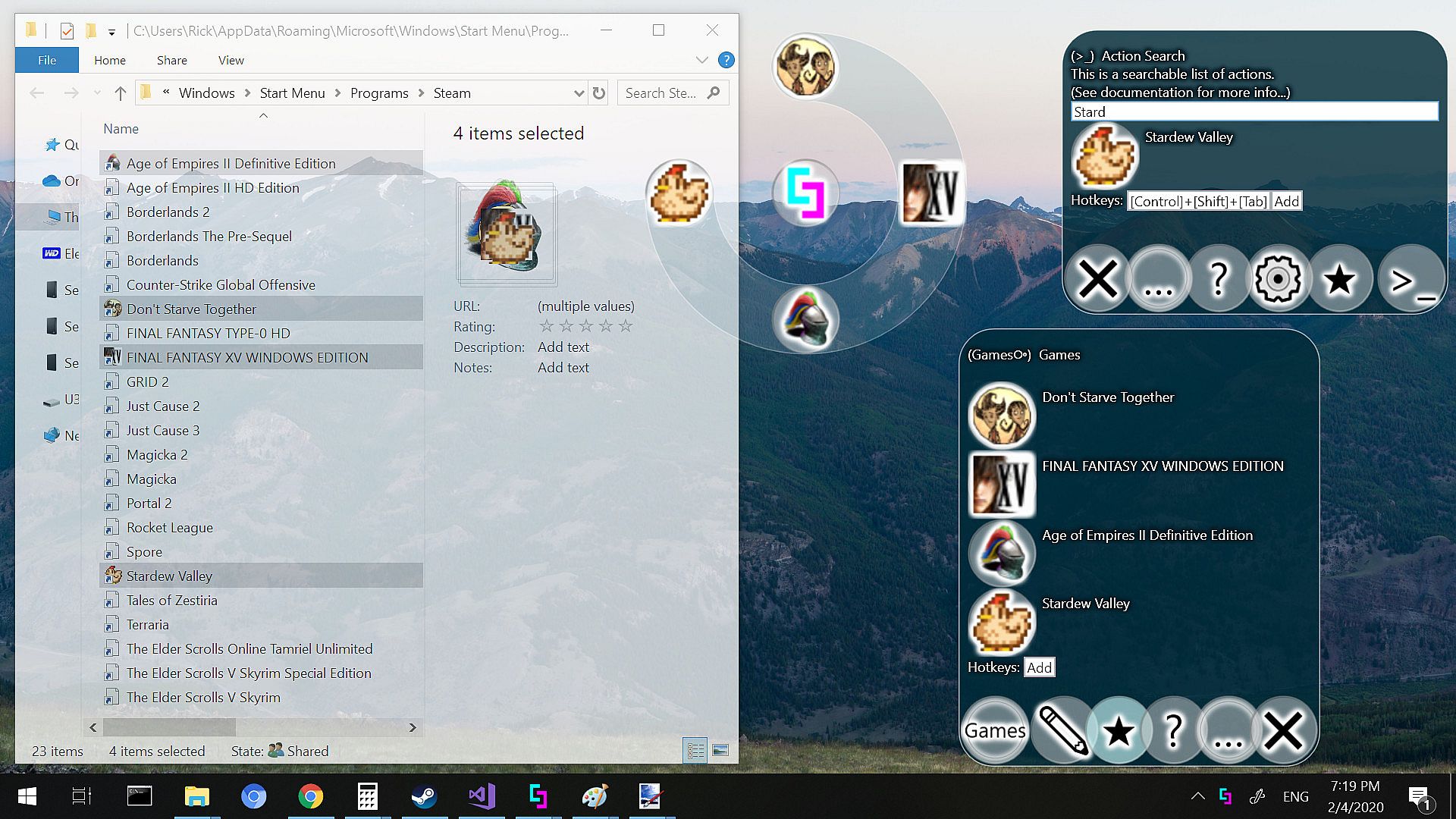
In this menu you can put anything you like, and you are free to rearrange the items within and drag in additional items.Settings:
- Ring Drag Rearrange (Default: True)
Allows you to drag buttons to rearrange them within a ring, but only within the favorites ring or the task ring. - Ring Change Ring (Default: True)
Allows you to drag buttons from one ring to another. Within the favorites ring, dragged buttons will be moved. Outside of the favorites ring, dragged buttons can be copied to the favorites ring. - Icon Lossy Compression (Default: False)
If enabled, icons that are generated by the application will be allowed to lose fidelity during compression, allowing far greater compression. - Toggle Ring Menu to Favorites (Default: False)
If enabled, the standard ring menu toggling operation will automatically bring you to the Favorites menu instead of the Main menu. You can use this option to get more control over what you see when using the tool, as you can freely change items in your favorites ring. You will still be able to access any items outside of your favorites menu by right clicking on the center orb of the main ring.
Favorites Menu Add File (★File+)
Use this to select a file from your computer and add it to your favorites menu.- You can also do this with drag and drop, but because of operating system security concerns, drag and drop may be forbidden between programs of different security levels. You can get around this using the Unlock Drag Drop feature, or by running the application without administrative privileges.
Favorites Menu Add Ring (★Ring+)
Use this to add a new ring to your favorites menu.- Use the edit button in the flyout of your new ring to change the name and emblem.
Favorites Menu Add URL (★URL+)
Use this to select a file from your computer and add it to your favorites menu.- You can also do this with drag and drop from your browser's URL box, but because of operating system security concerns, drag and drop may be forbidden between programs of different security levels. You can get around this using the Unlock Drag Drop feature, or by running the application without administrative privileges.
Unlock Drag Drop Lite ( Lite)
Allows a prompt for drag and drop to Simplode Suite with administrator rights.- The operating system does not allow drag and drop functionality from a regular app to a secured app. When enabled, the tool will detect when you are trying to do this, and a drag and drop security converter window will appear. If you want to override the security measure, you can place the cursor over the unlock button until it unlocks. At this point, the tool takes over the cursor in administrative mode, preventing programs with lower access levels from forcing the drag drop to complete. You should now be able to complete the drag drop into Simplode Suite.
- This feature is unnecessary when Simplode Suite is not run as administrator. It does not do anything useful in this case.
- To unlock drops to programs outside of Simplode Suite, the full version feature "Drag Drop ()" is required (see related actions).
- Drag Drop Unlocker (Default: True)
Allows you to override operating system restrictions on some drag and drop operations to secured windows. - Run as Admin (Default: True)
If enabled, Simplode Suite will try to always have admin privileges. Without admin privileges, some features only partially work and some features do not work at all. Some of these features provide the ability to get admin privileges on demand, but some require restarting the application which may result in the loss of some session level configuration, such as window linking and tab layouts.